


The best web-based platforms for forex trading combine browser convenience with capable charts, dependable order controls, research tools, device flexibility, and credible regulatory oversight.
South African traders must also check which legal entity provides the account, because a global broker brand can place local clients under a South African entity or an offshore company.
What is the best web-based forex trading platform?
CMC Markets takes our top spot for 2026. Its web platform brings TradingView charting, Reuters news, market research, pattern recognition, and advanced order controls into one interface. It's a strong setup for traders who prefer doing their analysis and managing positions in the same place.
ThinkTrader and HFM are also worth considering, especially if you spend a lot of time working with technical indicators and multiple chart timeframes.

🏆10 Best Forex Brokers in South Africa
| Rank | Broker | Broker Review | Regulators | Minimum Deposit | Visit Broker |
|---|---|---|---|---|---|
| 🥇 |  | Read Review | ASIC, FSA, CBI, BVI, FSCA, FRSA, CySEC, ISA, JFSA | $100 | Visit Now |
| 🥈 |  | Read Review | FSCA, FCA, DFSA, FSA, CMA | $0 | Visit Now |
| 🥉 |  | Read Review | FSCA, FSC, CYSEC, DFSA, CMA, FSC, FSA | $5 | Visit Now |
| 4 |  | Read Review | ASIC, CySEC, FSA, SCB | $0 | Visit Now |
| 5 |  | Read Review | BVI FSC | $0 | Visit Now |
| 6 |  | Read Review | FSA, FSC, FSCA, ASIC, CMA | $20 | Visit Now |
| 7 |  | Read Review | Exness is a globally regulated broker, holding multiple licenses from respected financial regulators around the world. | $10 | Visit Now |
| 8 |  | Read Review | ASIC, CySEC, FSCA, FSA, FSC, CMA | $100 | Visit Now |
| 9 |  | Read Review | FSC | $10 | Visit Now |
| 10 |  | Read Review | FSA, CySEC, FSCA, FSC | $10 | Visit Now |


Can South Africans trade forex without downloading software?
Yes. South African traders can open and manage forex positions directly through a supported web browser. Platforms from brokers such as CMC Markets, HFM, and Exness allow you to access charts and trading functions without installing the main desktop application.
There are some limitations, though. Browser versions don't always include everything available on desktop platforms. Automated trading, custom indicators, strategy testing, and certain advanced tools may require separate software.
Comparing the 10 best web forex platforms
Before looking at each platform in detail, here's how the 10 compare. We've included charting tools, device compatibility, standout features, South African regulatory arrangements, and the main limitations we think traders should know about.
Pay particular attention to the regulation column. An FSCA-authorised company within a broker group doesn't necessarily mean your individual trading account will be held by that company.
| Platform | Charting | Devices | Standout Tools | SA Regulation | Main Limitation | Best For |
|---|---|---|---|---|---|---|
| CMC Markets | TradingView integration | Web and mobile | Reuters, pattern scanner | Bermuda entity | Offshore account | Research and charting |
| ThinkTrader | 100+ indicators | Web, iOS, Android | Eight charts, 200 alerts | FSCA FSP 49835 | Proprietary interface | Advanced analysis |
| HFM | TradingView, 100+ indicators | Web-enabled devices | 110+ drawing tools | FSCA FSP 46632 | Intermediary structure | Technical analysis |
| IG | 28 indicators | Web and mobile | Reuters, trading signals | Bermuda for new SA accounts | Offshore onboarding | Integrated research |
| XTB | Advanced technical charts | Web, iOS, Android | Economic calendar | Belize entity | No MetaTrader | Customisable trading |
| Exness | TradingView-powered charts | Web browser | Eight-chart workspace | FSCA-authorised ODP | Proprietary terminal | Multi-chart analysis |
| AvaTrade | Advanced charts | Web and mobile | Alerts, heatmaps | FSCA FSP 45984 | Platform differences | Risk management |
| FXCM | 50+ indicators | Web, desktop, mobile | Chart trading, sentiment | FSCA FSP 46534 | Desktop-only functions | Sentiment analysis |
| FP Markets | MT4 and MT5 charts | Web and mobile | One-click trading | Group includes FSP 50926 | Confirm account entity | MetaTrader users |
| Tickmill | 30+ indicators | Browser and desktop sync | Encrypted transmission | FSCA FSP 49464 | No web Expert Advisors | Simple browser trading |
There's no shortage of choice here, but the platforms aren't all designed for the same type of trader.
CMC Markets, ThinkTrader, HFM, and Exness offer their own browser trading environments with a strong focus on charting. FP Markets and Tickmill are more familiar territory for traders who already use MetaTrader. FXCM takes a different approach with Trading Station and its market sentiment tools.
Think about how you actually trade before choosing. If you're constantly checking several currency pairs and timeframes, a multi-chart workspace could save you time. If you place a few trades each week, you may find that a simpler platform does everything you need.
How we compared browser-based forex platforms
We focused on the browser trading experience rather than trying to judge every aspect of each broker's business.
That distinction matters. A broker can offer competitive trading conditions while having a fairly basic web platform. Another broker might provide excellent charting and research but have an account structure or trading costs that don't suit you.
We looked at six areas:
- Browser access: Can you trade directly through a web browser without having to install the main desktop platform?
- Charting tools: What indicators, drawing tools, chart layouts, and timeframes are available?
- Device compatibility: Can you use the platform on different computers, tablets, or mobile devices?
- Trading and research tools: How useful are the order controls, market news, alerts, and analysis features?
- Security and legal structure: What security measures are documented, and which company provides the trading account?
- South African relevance: What should local traders know about FSCA authorisation, offshore entities, and rand-denominated account considerations?
Our comparison draws on broker platform descriptions, support documents, legal disclosures, and regulatory information.
We haven't independently benchmarked order execution speeds or measured how each browser performs under identical market conditions. That's important to make clear, because a long list of platform features doesn't prove that one broker executes orders faster than another.
We also haven't ranked these platforms according to potential profitability. No trading platform can make a weak strategy profitable, and tools such as alerts or technical indicators don't remove the risks of leveraged trading.
10 Best Web-Based Forex Trading Platforms (2026):
- CMC Markets – Best Overall for Browser Research and Charting.
- ThinkTrader – Best for Advanced Multi-Chart Analysis.
- HFM – Best for TradingView-Powered Browser Analysis.
- IG – Best for Market Breadth and Integrated Research.
- XTB – Best for a Customisable Browser Interface.
- Exness – Best for Multi-Chart Browser Analysis.
- AvaTrade – Best for Integrated Risk and Market Tools.
- FXCM – Best for Sentiment and Chart Trading.
- FP Markets – Best for MetaTrader Browser Users.
- Tickmill – Best for Simple Browser-Based MetaTrader.
1. CMC Markets

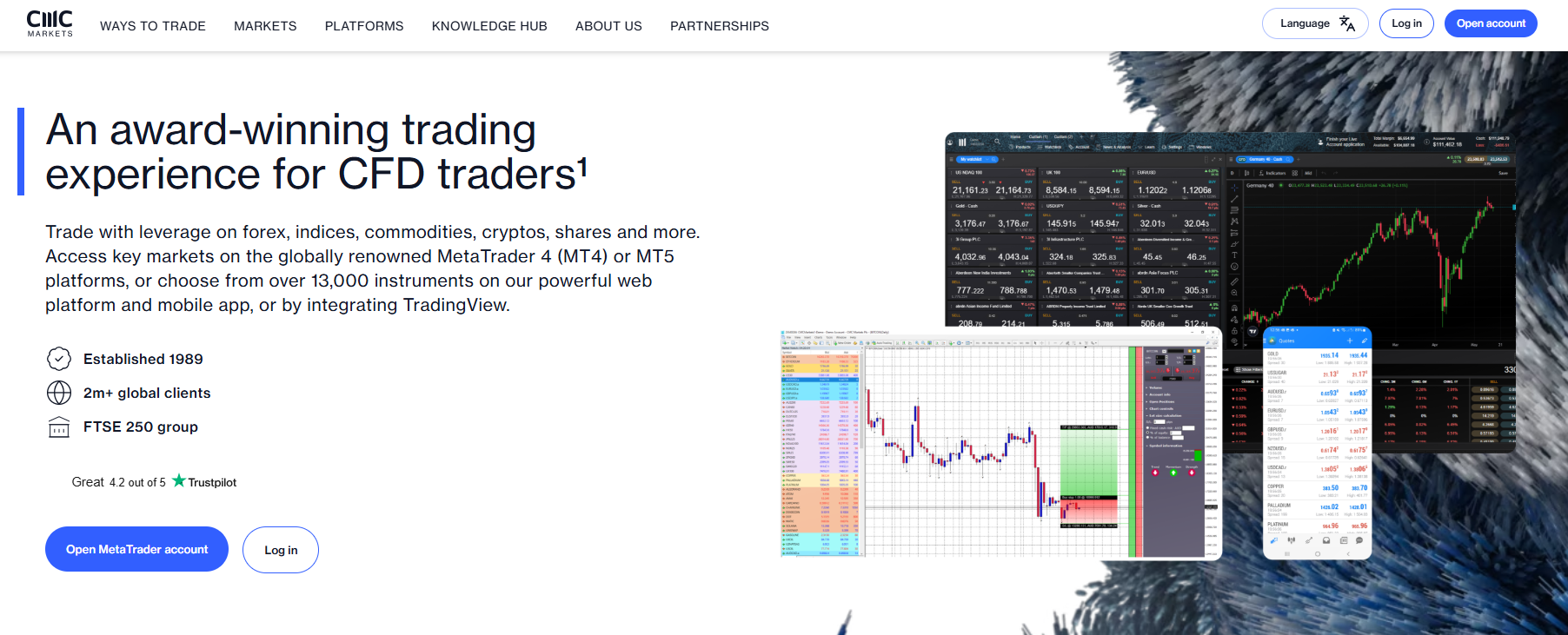
- CMC Markets is our first choice for browser-based forex trading, mainly because it puts a serious amount of research and charting functionality into one platform.
- It combines TradingView charts with Reuters news, Morningstar research, TipRanks analysis, pattern recognition, and client sentiment data. You also get advanced order controls and access to approximately 12,000 financial instruments.
- That range is useful if you follow more than just forex. For example, a trader watching EUR/USD might also want to monitor the US Dollar Index, gold, or major equity markets for broader market context, depending on the instruments available in the account.
- The platform's strength is having that information available without constantly moving between separate applications.
- The main issue for South African traders is the account's legal structure. CMC Markets Bermuda Limited operates under the Bermuda Monetary Authority rather than the South African FSCA. You should understand what this means for your account before making a deposit.
Features
| Feature | Details |
|---|---|
| Platform | CMC Markets Web Platform |
| Charting | TradingView integration |
| Instruments | Approximately 12,000 |
| Research | Reuters, Morningstar, TipRanks |
| Devices | Web and mobile |
| Regulatory Entity | CMC Markets Bermuda Limited |
| Open an Account | Open Account |
Pros and Cons
| Pros | Cons |
|---|---|
| TradingView-powered charts make it easier to analyse price movements without opening another application. | South African accounts provided through CMC Markets Bermuda Limited fall under offshore regulation rather than FSCA oversight. |
| Reuters news, Morningstar research, and TipRanks analysis give traders access to market information within the platform. | The amount of research and the number of available tools can feel excessive if you only trade a few forex pairs. |
| Approximately 12,000 instruments provide plenty of choice for traders who follow forex alongside indices, commodities, and other markets. | Traders who rely on MetaTrader-specific Expert Advisors or custom indicators will need to check whether their strategies can be supported. |
| Advanced order controls and pattern recognition tools are useful when identifying setups and managing open positions. | The suitability of the offshore account arrangement depends on the regulatory protections and terms you're comfortable accepting. |
Why is CMC Markets ranked first for browser trading?
CMC Markets earns first place because it brings together the tools that active traders are likely to use during the trading day.
You can analyse price action using TradingView charts, check Reuters for market developments, use pattern recognition to identify possible setups, and manage your orders through the same browser platform.
Having everything together can make research more manageable, particularly when you're following several markets or preparing for an important economic announcement.
There is one point I'd keep in mind: access to thousands of instruments is only useful if those markets are relevant to your trading. Someone who trades EUR/USD and GBP/USD exclusively may not need such a large product range.
Is CMC Markets regulated in South Africa?
South African traders should check the legal company named in their account documentation. CMC Markets identifies CMC Markets Bermuda Limited as the relevant provider on its global website.
That company operates under Bermuda Monetary Authority supervision. It shouldn't be confused with an account held under South African FSCA authorisation.
Before funding your account, check the applicable regulatory protections, client money arrangements, and account terms. The broker's international reputation doesn't replace those checks.
2. ThinkTrader
- ThinkTrader is one of the more interesting options for traders who rely heavily on technical analysis.
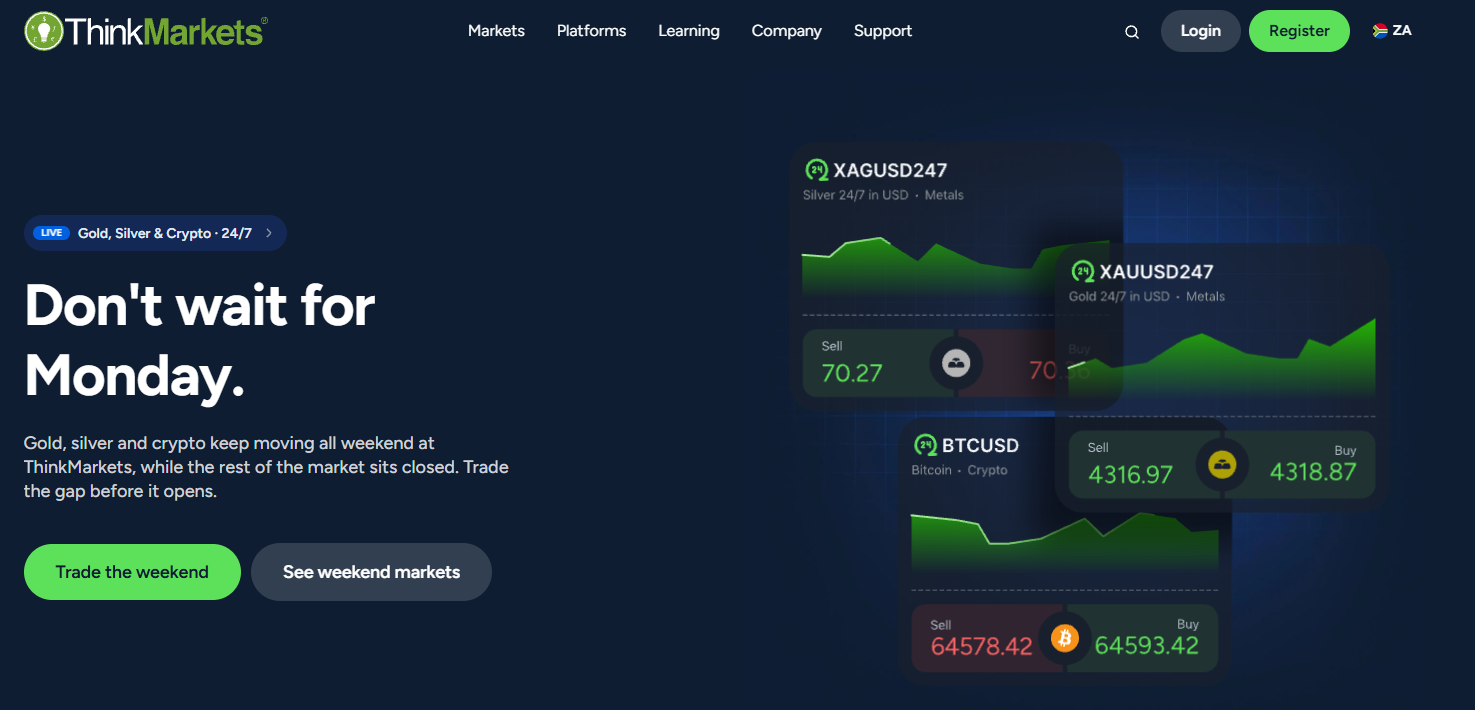
- Its TradingView-powered charting includes more than 100 indicators, over 50 drawing tools, and more than 10 chart types. You can display eight charts at once and configure up to 200 cloud alerts.
- Eight charts might sound excessive if you only watch one currency pair. But if you follow several markets or use multiple timeframes to confirm a trading setup, that extra chart space becomes useful.
- For example, you could monitor EUR/USD on the daily chart for the broader trend, use the four-hour chart to identify important support and resistance levels, and watch a shorter timeframe for your preferred entry conditions.
- The cloud alerts are another practical feature. Instead of watching charts all day, you can set alerts around the levels or conditions you're waiting for.
- ThinkTrader also has dedicated iOS and Android applications. The South African company, TF Global Markets (South Africa) (Pty) Ltd, is authorised under FSCA FSP 49835 and holds an OTC derivatives provider licence.
Features
| Feature | Details |
|---|---|
| Platform | ThinkTrader Web |
| Indicators | 100+ |
| Drawing Tools | 50+ |
| Simultaneous Charts | Eight |
| Cloud Alerts | Up to 200 |
| Regulation | FSCA FSP 49835, ODP |
Pros and Cons
| Pros | Cons |
|---|---|
| More than 100 indicators and 50 drawing tools give technical traders plenty of flexibility when analysing charts. | The proprietary interface takes some getting used to if you've spent years trading on MetaTrader. |
| Eight simultaneous charts make it easier to follow several currency pairs or compare different timeframes. | The range of charting features may be unnecessary for traders who only use basic price action or a few indicators. |
| Up to 200 cloud alerts help traders monitor important price levels without watching charts throughout the day. | Traders who depend on existing MetaTrader Expert Advisors or custom tools need to check compatibility before switching. |
| Browser access and dedicated mobile applications provide flexibility when trading from different devices. | Charting capabilities alone don't establish how quickly orders execute during volatile market conditions. |
Is ThinkTrader suitable for advanced technical analysis?
Yes. ThinkTrader has enough charting tools to suit traders who use indicators, drawing tools, and several timeframes as part of their analysis.
The ability to display eight charts simultaneously is especially useful when comparing related currency pairs or checking whether a setup agrees with the broader market direction.
You can also use cloud alerts to monitor important levels without keeping your eyes on the screen all day.
Of course, having access to more than 100 indicators doesn't mean you should use them all. Most experienced traders eventually settle on a smaller group of tools that they understand and can apply consistently.
Can South Africans access ThinkTrader through a regulated company?
ThinkTrader is associated with TF Global Markets (South Africa) (Pty) Ltd, which is authorised by the FSCA under FSP 49835 and holds an OTC derivatives provider licence.
That's relevant for South African traders, but you should still check the company named in your own account agreement.
Also confirm which products are available, what the trading conditions are, and whether the account structure suits your needs before depositing funds.
3. HFM

- HFM is another platform worth considering if technical analysis is central to how you trade.
- Its WebTrader platform uses TradingView technology and includes more than 100 technical indicators, over 110 drawing tools, and layouts that can display up to eight charts.
- There's also an economic calendar, which is useful when you're planning trades around events such as US inflation data, central bank announcements, or employment figures.
- The combination of charting and economic information makes sense for traders who use technical setups but still want to know when important market news is due.
- You don't need to install desktop software to use HFM WebTrader, and the platform synchronises with HFM's mobile application.
- On the regulatory side, HF Markets SA (Pty) Ltd holds FSCA FSP 46632. The South African company acts as an intermediary between clients and HF Markets Ltd, the product supplier. It's worth understanding that relationship before opening an account.
Features
| Feature | Details |
|---|---|
| Platform | HFM WebTrader |
| Charting | TradingView technology |
| Indicators | 100+ |
| Drawing Tools | 110+ |
| Chart Layouts | Up to eight charts |
| Regulation | FSCA FSP 46632 intermediary |
| Open an Account | Open Account |
Pros and Cons
| Pros | Cons |
|---|---|
| TradingView-powered charts include more than 100 indicators and 110 drawing tools for detailed technical analysis. | South African traders need to understand the intermediary relationship between HF Markets SA and the product supplier. |
| Eight-chart layouts make it easier to compare currency pairs and monitor several timeframes at once. | Some desktop trading functions may differ from those available through the browser platform. |
| An integrated economic calendar helps traders keep track of announcements that could affect their open positions. | The extensive indicator and drawing tool selection may add unnecessary complexity for beginners. |
| Browser trading requires no desktop installation, and platform synchronisation makes mobile account access more convenient. | Traders should confirm the exact account entity, applicable fees, and available platform functions before depositing. |
Does HFM WebTrader require software installation?
No. You can access HFM WebTrader directly through a supported browser.
That makes it convenient if you use different computers or don't want to install a full desktop trading platform.
You'll still have access to technical indicators, TradingView charts, drawing tools, and an economic calendar. HFM also provides mobile access, so you aren't limited to using the browser when you're away from your computer.
Just remember that browser and mobile versions can have different features. If you depend on a particular indicator or trading function, check where it's supported.
What makes HFM useful for technical traders?
The main attraction is the charting setup. More than 100 indicators, over 110 drawing tools, and the ability to display eight charts give technical traders plenty of room to work.
If you follow major forex pairs such as EUR/USD, GBP/USD, and USD/JPY, you can monitor different charts while keeping an eye on upcoming economic announcements.
It's a sensible arrangement for traders who combine technical levels with an awareness of market news.
4. IG

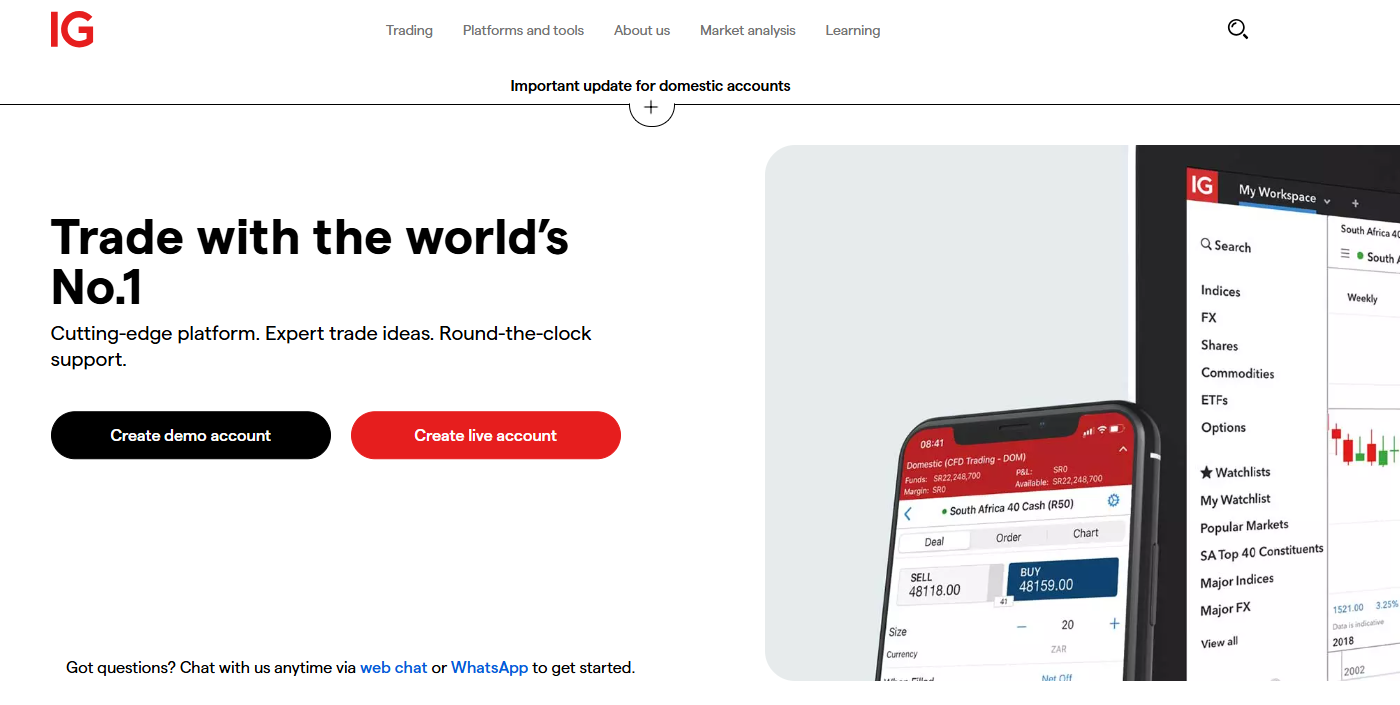
- IG has a browser platform that should appeal to traders who like having market research close to their charts.
- The HTML5 platform includes chart-based order entry, Reuters news, market signals, trading alerts, and integration with ProRealTime.
- Its native charting provides 28 indicators, 19 drawing tools, and the option to view up to four timeframes on one chart.
- That's useful if you want to compare short-term price movements with the broader trend without opening separate chart windows.
- The research is another reason to consider IG. Traders who follow economic events and market developments may find the integrated news and signals useful when assessing trading opportunities.
- There is an important change for South African applicants. IG Markets South Africa no longer opens new trading accounts. New South African accounts are handled through IG International Limited, which is regulated by the Bermuda Monetary Authority.
Features
| Feature | Details |
|---|---|
| Platform | IG Web Platform |
| Technology | HTML5 browser platform |
| Indicators | 28 |
| Drawing Tools | 19 |
| Research | Reuters, signals, alerts |
| New SA Accounts | IG International, Bermuda |
| Open an Account | Open Account |
Pros and Cons
| Pros | Cons |
|---|---|
| Reuters news, trading signals, and market alerts make it easier to follow developments while analysing charts. | New South African trading accounts are opened through IG International Limited in Bermuda rather than the local IG entity. |
| Chart-based order entry allows traders to manage positions directly from their analysis workspace. | The native platform offers 28 indicators, fewer than some competitors focused on extensive technical charting. |
| Viewing up to four timeframes on one chart can help traders compare shorter-term moves with the broader trend. | Not every advanced feature or ProRealTime function is necessarily available across all account and platform configurations. |
| ProRealTime integration provides an additional option for traders who want more specialised charting capabilities. | South African applicants need to assess the offshore regulatory framework, account terms, and available protections. |
Does IG offer advanced research through its web platform?
Yes. Research is one of IG's stronger areas.
You can follow Reuters news, review market signals, set alerts, and work with technical charts without constantly leaving the trading environment.
For traders who follow economic announcements or like to compare technical setups with current market developments, having those resources together is useful.
IG also offers ProRealTime integration, although the features available depend on the specific platform and account.
Can South Africans open an IG trading account?
Yes, South African residents can apply for an account through IG International Limited, subject to eligibility and the broker's account requirements.
However, IG Markets South Africa no longer accepts new trading accounts.
That means new applicants need to review the terms applying to IG International Limited, including the Bermuda regulatory framework, funding options, account currencies, and available client protections.
Don't assume that an account opened through IG automatically falls under South African regulation simply because the group previously operated local trading accounts.
5. XTB

- XTB's xStation 5 is a good example of a broker building its own trading platform rather than relying on MetaTrader.
- The platform works directly in a web browser and gives traders access to technical charts, market statistics, order management, an economic calendar, and portfolio information.
- The layout is customisable, which is useful if you prefer arranging your trading workspace around the instruments and information you follow most often.
- For example, a trader focused on major currency pairs can keep the relevant charts and market statistics close together rather than working through several separate screens.
- XTB also offers mobile applications for iOS and Android.
- The biggest adjustment is for MetaTrader users. XTB no longer supports MT4 or MT5, so traders who depend on MetaTrader indicators, Expert Advisors, or established workflows will need to consider whether xStation 5 can meet their needs.
- South African residents can open accounts through XTB International Limited in Belize, which means the offshore regulatory arrangement deserves attention.
Features
| Feature | Details |
|---|---|
| Platform | xStation 5 |
| Access | Web, iOS, Android |
| Charting | Advanced technical charts |
| Research | Market statistics, economic calendar |
| MetaTrader | Not supported |
| SA Account Entity | XTB International Limited, Belize |
| Open an Account | Open Account |

Pros and Cons
| Pros | Cons |
|---|---|
| xStation 5 offers a customisable browser workspace without requiring desktop software. | MetaTrader 4 and MetaTrader 5 are no longer supported, which is a major limitation for traders who depend on those platforms. |
| Integrated market statistics and an economic calendar make it easier to follow market conditions without switching applications. | Existing MetaTrader Expert Advisors, indicators, and automated trading workflows cannot simply be transferred to xStation 5. |
| Portfolio management tools help traders monitor positions and account exposure in one place. | South African accounts are provided through XTB International Limited in Belize, so offshore account protections need to be reviewed. |
| Browser, iOS, and Android access make it convenient to check and manage trades across different devices. | Traders familiar with MetaTrader may need time to adjust to the proprietary interface and order management workflow. |
Is XTB xStation 5 available without downloading software?
Yes. xStation 5 runs through a supported web browser, so you can access your trading account without installing the desktop platform.
You can analyse charts, review market statistics, check the economic calendar, and manage positions from the browser.
There are also iOS and Android applications if you prefer checking your account from your phone.
The customisable layout is useful, particularly if you want the platform arranged around the currency pairs and tools you actually use.
Can traders use MetaTrader with XTB?
No. XTB no longer supports MetaTrader 4 or MetaTrader 5.
Instead, traders use the broker's xStation 5 platform, which provides its own charting, technical analysis, and portfolio management tools.
Whether that matters depends on your trading strategy.
If you place manual trades and mainly use standard technical indicators, xStation 5 may provide the functionality you need.
But if you've built your trading process around MetaTrader Expert Advisors, custom indicators, or automated strategies, moving to XTB could mean changing the way you work.
6. Exness

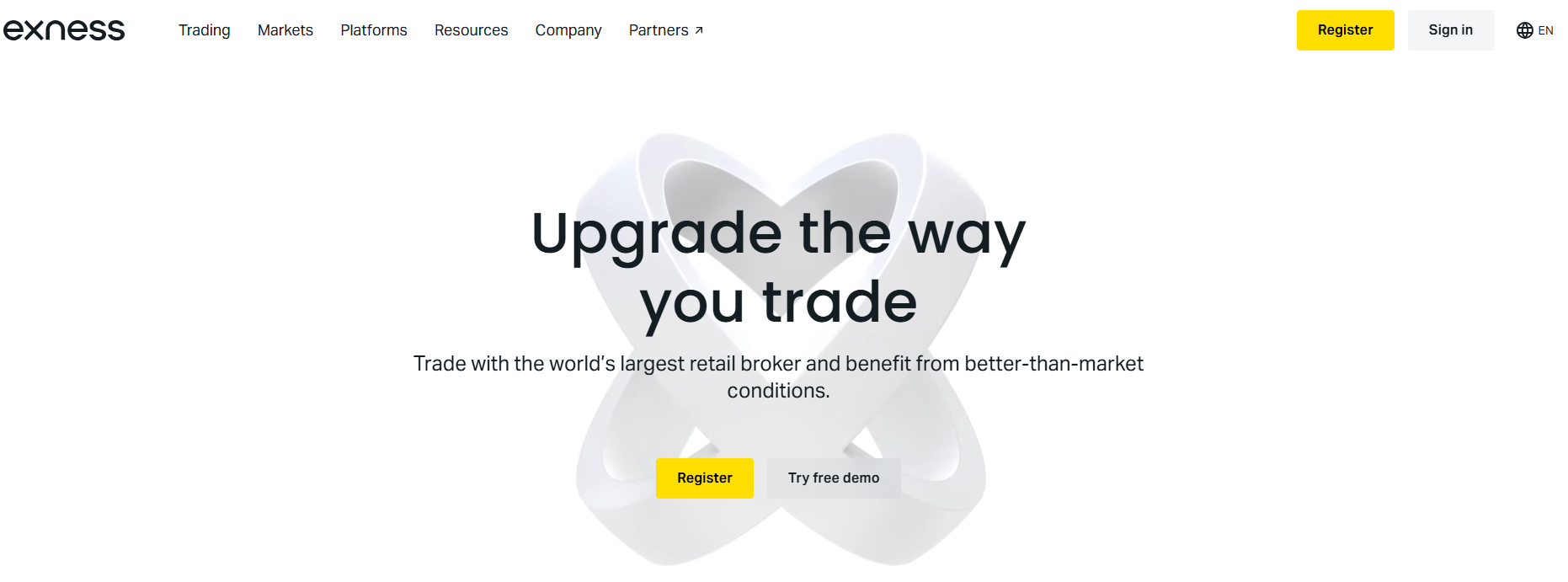
- Exness Terminal is particularly useful for traders who like working with several charts at the same time.
- The browser platform uses TradingView-powered charts and includes more than 100 technical indicators and 50 drawing tools.
- You can display up to eight charts in one workspace and save your preferred layouts and templates.
- That makes a difference if you regularly move between currency pairs or compare several timeframes before entering a trade.
- Instead of rebuilding your charts every time you log in, you can organise a workspace around your usual analysis.
- Exness Terminal is a proprietary platform, though, so traders coming from MetaTrader should check whether their preferred tools and workflow are supported.
- For South African traders, the legal structure also deserves attention. Exness (SC) Ltd is a Seychelles securities dealer and holds FSCA authorisation as an OTC derivatives provider. You should still confirm the contracting entity named in your own account agreement.
Features
| Feature | Details |
|---|---|
| Platform | Exness Terminal |
| Charting | TradingView-powered |
| Indicators | 100+ |
| Drawing Tools | 50 |
| Simultaneous Charts | Up to eight |
| Regulatory Position | Seychelles and FSCA ODP authorisation |
| Open an Account | Open Account |
Pros and Cons
| Pros | Cons |
|---|---|
| TradingView-powered charts include more than 100 indicators and 50 drawing tools for technical analysis. | Exness Terminal uses a proprietary interface, which may not suit traders who prefer their existing MetaTrader setup. |
| Up to eight charts can be displayed in one workspace, making multi-timeframe analysis more manageable. | Traders relying on MetaTrader-specific Expert Advisors or custom indicators need to check which alternatives are available. |
| Saved templates and layouts reduce the need to rebuild chart setups every time you access the platform. | South African traders must verify which Exness legal entity provides their account and which regulatory protections apply. |
| Direct browser access is convenient for traders who want to analyse markets and manage manual positions without installing software. | The eight-chart workspace and extensive technical tools may offer little additional value to traders using very simple strategies. |
How many charts can traders open in Exness Terminal?
Exness Terminal supports up to eight charts within one browser workspace.
That's useful if your strategy involves checking several currency pairs or looking at the same instrument across different timeframes.
For example, you might use a daily chart to establish the broader direction, a four-hour chart to identify trading levels, and a shorter timeframe to look for an entry.
Saved layouts and templates also help keep your workspace organised, so you don't need to arrange everything again each time you trade.
Is Exness Terminal suitable for technical analysis?
Yes. With TradingView-powered charts, more than 100 indicators, and 50 drawing tools, Exness Terminal offers a solid range of features for technical traders.
The multiple-chart layout is one of its more practical features. Being able to view several instruments or timeframes together makes it easier to compare price movements.
But there's no need to use every indicator available. What matters is whether the platform supports the tools and chart setups you already understand.
7. AvaTrade
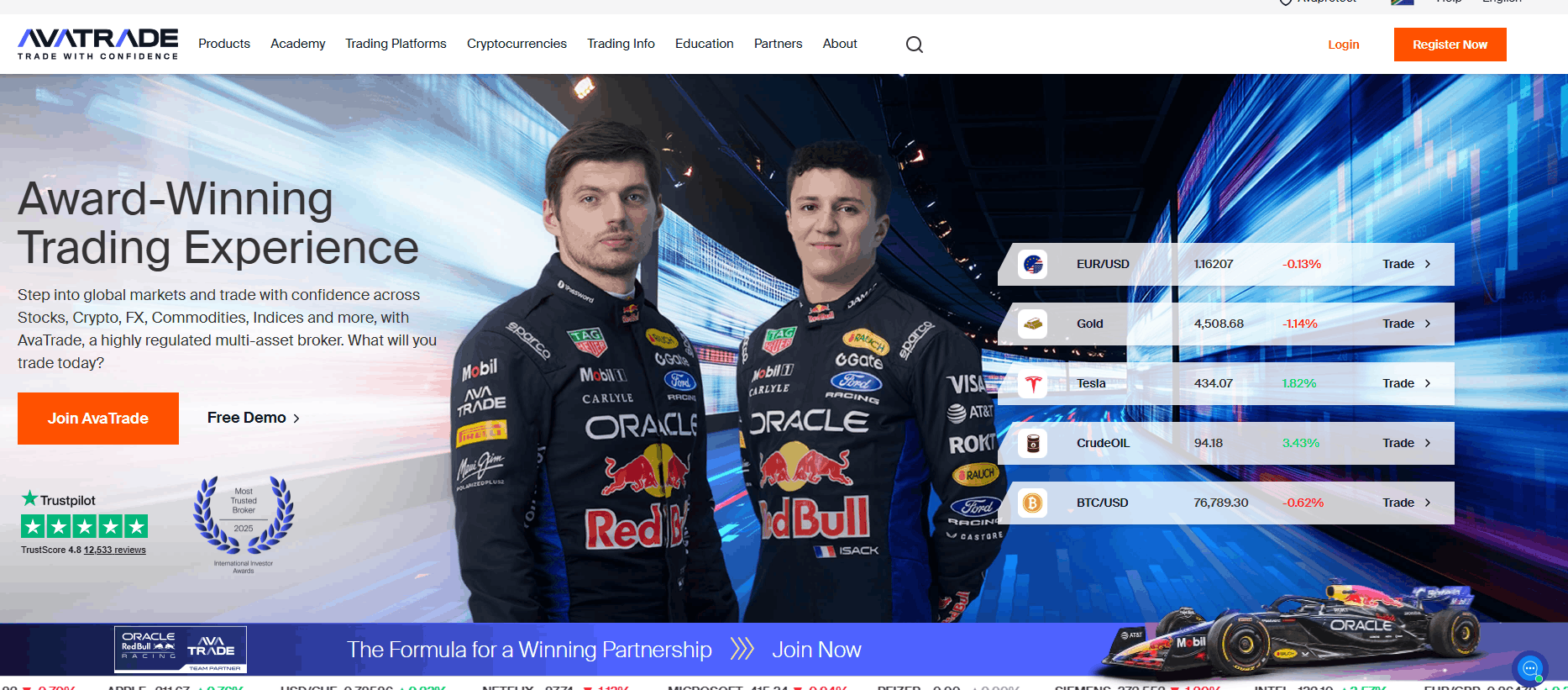
- AvaTrade offers a browser platform that brings together charting, market news, alerts, watchlists, and heatmaps.
- Its WebTrader platform is designed for traders who want to follow the markets and manage positions without installing desktop software.
- One feature that stands out is AvaProtect, which provides additional protection against losses on eligible trades under specific terms and conditions.
- It's worth understanding exactly how that feature works before using it. There may be charges, product restrictions, time limits, and protection conditions. It's not a replacement for sensible position sizing or a proper risk management plan.
- AvaTrade also offers access to MT4 and MT5 web platforms, which is useful if you prefer MetaTrader rather than the broker's proprietary interface.
- For South African traders, Ava Capital Markets (Pty) Ltd is authorised by the FSCA under FSP 45984.
Features
| Feature | Details |
|---|---|
| Platform | AvaTrade WebTrader |
| Charting | Advanced charts |
| Research | News, heatmaps, watchlists |
| Risk Tools | AvaProtect on eligible trades |
| Other Web Platforms | MT4 and MT5 |
| Regulation | FSCA FSP 45984 |
| Open an Account |
Pros and Cons
| Pros | Cons |
|---|---|
| WebTrader includes charts, watchlists, market news, alerts, and heatmaps in one browser platform. | Some trading features and analytical tools are only available on specific AvaTrade platforms. |
| AvaProtect offers additional protection against losses on eligible trades, subject to the applicable conditions. | AvaProtect has eligibility rules, charges, and protection limits, so traders shouldn't assume every position qualifies. |
| MT4 and MT5 browser access gives traders an alternative if they prefer MetaTrader over AvaTrade's proprietary interface. | Switching between WebTrader and MetaTrader may mean losing access to certain platform-specific features. |
| Ava Capital Markets (Pty) Ltd holds FSCA authorisation under FSP 45984, providing a local regulatory reference for South African traders. | Traders still need to confirm the contracting entity and account conditions rather than relying only on group-level regulatory information. |
Does AvaTrade provide risk management tools on WebTrader?
Yes. AvaTrade provides market alerts and analytical tools, along with AvaProtect on eligible trades.
AvaProtect is worth looking at if you're interested in additional trade protection, but it's important to read the terms rather than assuming every loss will be covered.
Check which instruments qualify, how long protection applies, what charges are involved, and the limits of any coverage.
Also remember that no protection feature removes the need to control your exposure. Leverage, position size, and the amount you're prepared to lose still matter.
Can I use MetaTrader through AvaTrade's browser platforms?
Yes. AvaTrade offers browser access through its own WebTrader platform as well as supported MT4 and MT5 web versions.
That gives traders a choice between AvaTrade's proprietary interface and the more familiar MetaTrader environment.
The main thing to remember is that features aren't necessarily identical across the different platforms.
For example, certain analysis tools or risk management features may be available only on specific platforms or eligible instruments.
8. FXCM
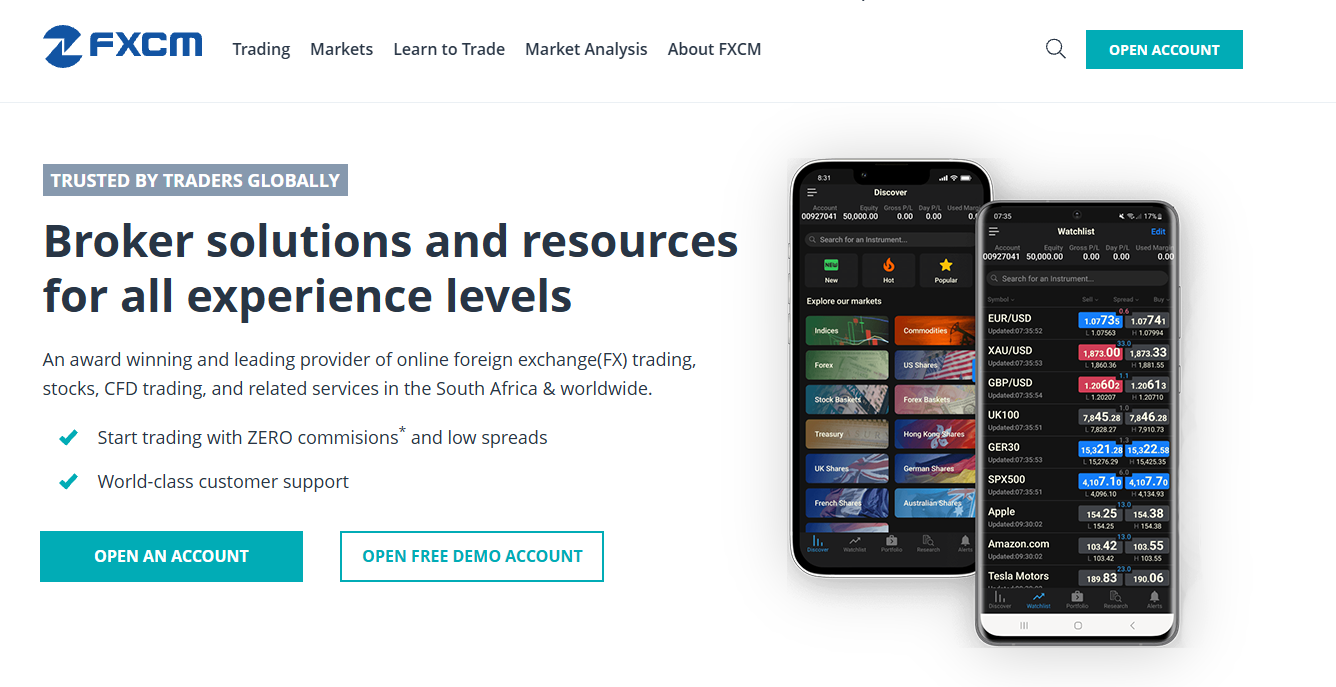
- FXCM's Trading Station platform offers something slightly different from the usual browser-based trading setup.
- Alongside standard charting and order management, it gives traders access to FXCM's Speculative Sentiment Index, which provides information about trader positioning.
- That can be useful if sentiment forms part of your analysis. For example, you might compare market positioning with the direction of a currency pair before deciding whether a trade fits your strategy.
- Trading Station Web 3.0 also includes more than 50 technical indicators, historical data, price overlays, alerts, and chart-based order management.
- The main limitation is that advanced strategy optimisation and backtesting remain desktop functions. If you're developing and testing automated trading systems, the browser platform won't cover everything.
- In South Africa, Stratos South Africa (Pty) Ltd holds FSCA FSP 46534 and acts as an intermediary for Stratos Markets Limited.
Features
| Feature | Details |
|---|---|
| Platform | Trading Station Web 3.0 |
| Indicators | 50+ |
| Trading Tools | Chart trades, overlays, alerts |
| Sentiment | Speculative Sentiment Index |
| Desktop Functions | Advanced optimisation and backtesting |
| Regulation | FSCA FSP 46534 intermediary |
| Open an Account | Open Account |
Pros and Cons
| Pros | Cons |
|---|---|
| The Speculative Sentiment Index provides positioning information that traders can compare with technical price analysis. | Sentiment data can remain one-sided for extended periods and shouldn't be treated as a reliable entry signal by itself. |
| Trading Station Web includes more than 50 indicators, historical data, price overlays, and trading alerts. | Advanced strategy backtesting and optimisation require desktop software rather than the browser platform. |
| Chart-based order management makes it easier to place and adjust manual trades while monitoring price action. | Traders who develop automated systems may find the browser version too limited for their full workflow. |
| Technical tools and sentiment information are available within the same trading environment. | South African clients should understand the intermediary relationship between Stratos South Africa and Stratos Markets Limited. |
What makes FXCM Trading Station useful for sentiment analysis?
FXCM's Speculative Sentiment Index gives traders another way to assess market conditions by looking at positioning data.
For example, if you're considering a trade on GBP/USD, you can review sentiment alongside the price chart and technical indicators.
That information might support your analysis or give you a reason to question a setup.
Just be careful about treating sentiment as a standalone trading signal. Retail positioning can remain heavily one-sided for extended periods, and sentiment data doesn't tell you exactly when the market will reverse.
Can FXCM traders run advanced backtesting in their browser?
No. Advanced backtesting and strategy optimisation are handled through FXCM's desktop platform.
The browser version provides access to charts, technical indicators, historical market information, alerts, and trading functions.
That's enough for many traders who analyse charts and place orders manually.
However, if you develop automated strategies or regularly test trading systems against historical data, you'll need to compare the desktop features with what Trading Station Web actually supports.
9. FP Markets

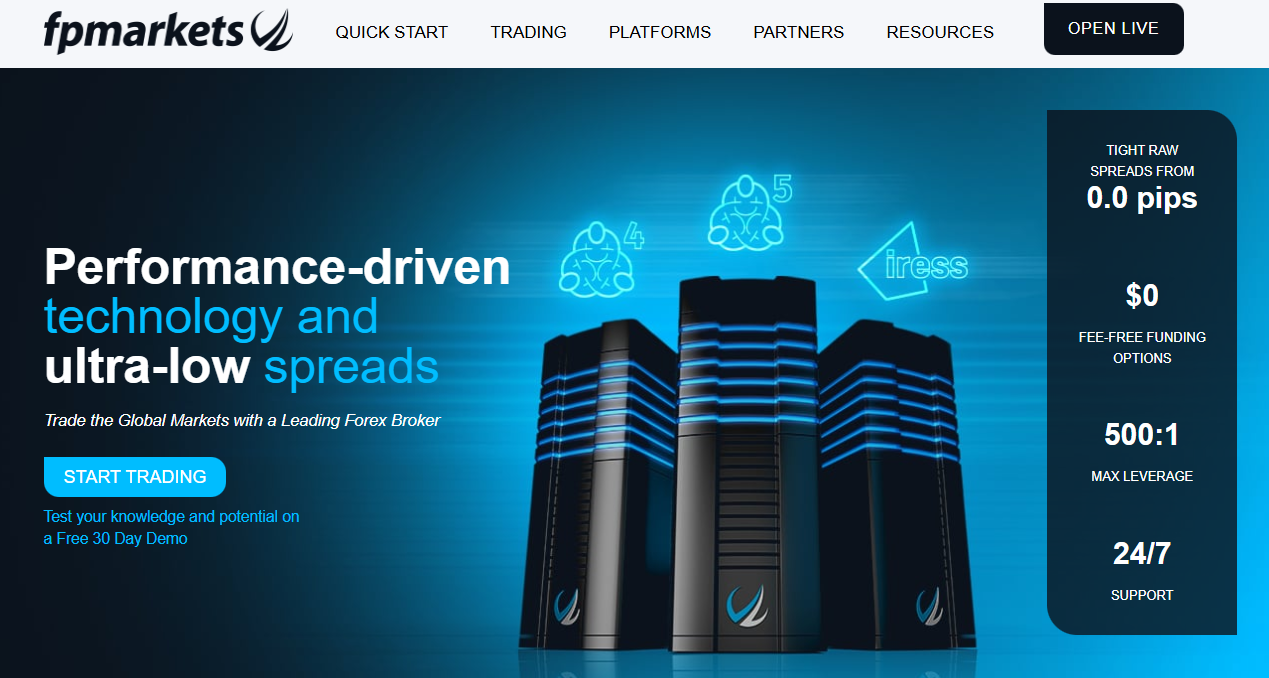
- FP Markets is worth considering if you're already comfortable trading through MetaTrader and want access without installing the main desktop software.
- The broker provides MT4 and MT5 WebTrader, allowing traders with supported accounts to access familiar MetaTrader functions through a browser.
- MetaTrader 5 offers 38 technical indicators, 44 graphical objects, 21 timeframes, and eight order types.
- Those features are useful if you prefer working with standard indicators and multiple chart timeframes, although you should check which functions are available in the web version.
- FP Markets also offers cTrader and TradingView within its wider platform range, giving traders additional options depending on their account and platform preferences.
- The regulatory structure needs attention. The FP Markets group includes FP Markets (Pty) Ltd, authorised under FSCA FSP 50926. However, its South African WebTrader page identifies First Prudential Markets Limited in Seychelles as the website operator.
- Before making a deposit, confirm which company will actually hold your trading account.
Features
| Feature | Details |
|---|---|
| Platforms | MT4 and MT5 WebTrader |
| MT5 Indicators | 38 |
| Graphical Objects | 44 |
| Timeframes | 21 |
| Order Types | Eight |
| Regulatory Position | Group includes FSCA FSP 50926 |
| Open an Account | Open Account |
Pros and Cons
| Pros | Cons |
|---|---|
| MT4 and MT5 WebTrader provide familiar interfaces for traders who already use MetaTrader. | Browser versions may not support every custom indicator, Expert Advisor, or specialised desktop function. |
| MT5 provides 38 technical indicators, 44 graphical objects, and 21 timeframes for analysing different market conditions. | The contracting legal entity needs to be confirmed, as the broker group includes both South African and offshore companies. |
| Browser access lets traders check charts and manage supported accounts without installing desktop MetaTrader. | Traders relying on advanced automation may still need desktop MetaTrader despite having browser access. |
| The wider platform range includes cTrader and TradingView, giving traders additional interface choices. | Platform availability and features can vary by account, so not every option should be assumed to be accessible to every client. |
Does FP Markets offer MetaTrader without desktop installation?
Yes. FP Markets provides MT4 and MT5 WebTrader for supported trading accounts.
You can open the platform through a browser and access charts, trading functions, and other supported MetaTrader features without installing the main desktop program.
That's convenient if you normally trade through MetaTrader but occasionally need to access your account from another computer.
Bear in mind that web versions may not include every indicator or specialised function available on desktop MetaTrader.
Which FP Markets platform offers advanced technical indicators?
MetaTrader 5 provides 38 technical indicators, 44 graphical objects, 21 timeframes, and eight order types.
That gives traders a useful selection of tools for analysing price movements and managing positions.
For example, having 21 timeframes allows you to examine the same currency pair from different perspectives without being limited to the standard hourly and daily charts.
But the number of indicators isn't the deciding factor. Most traders only need a handful of tools that suit their strategy.
10. Tickmill
- Tickmill keeps things fairly straightforward with browser access through MT4 and MT5 WebTrader.
- If you've traded on MetaTrader before, there shouldn't be much of a learning curve. You get access to familiar charts, technical indicators, real-time quotes, trade history, and supported order management functions.
- The platform includes more than 30 technical indicators and allows traders to work with different timeframes and chart settings.
- Tickmill also documents encrypted data transmission for WebTrader sessions.
- The main limitation concerns automated trading. Expert Advisors don't run directly in MetaTrader WebTrader, so you'll need the desktop platform if your strategy depends on them.
- Tickmill South Africa (Pty) Ltd is authorised by the FSCA under FSP 49464.
Features
| Feature | Details |
|---|---|
| Platforms | MT4 and MT5 WebTrader |
| Indicators | 30+ |
| Charting | Customisable charts and timeframes |
| Security | Encrypted transmission |
| Expert Advisors | Not supported on web |
| Regulation | FSCA FSP 49464 |
| Open an Account | Open Account |
Pros and Cons
| Pros | Cons |
|---|---|
| MT4 and MT5 WebTrader offer familiar charting and order management without requiring desktop installation. | Expert Advisors cannot run directly in WebTrader, limiting its usefulness for automated trading strategies. |
| More than 30 technical indicators and multiple timeframes cover the needs of many manual forex traders. | The browser platform may lack specialised tools available in the full desktop version of MetaTrader. |
| Account synchronisation lets traders monitor positions and trading history when switching between supported devices. | Traders needing extensive integrated research may prefer platforms such as CMC Markets or IG. |
| Encrypted data transmission helps protect information sent through supported WebTrader sessions. | Encrypted connections don't remove the need for secure passwords, safe devices, and checks on the account's regulatory arrangements. |
Can traders use Tickmill WebTrader without installing MetaTrader?
Yes. Tickmill's MT4 and MT5 WebTrader platforms allow you to access supported accounts directly through a browser. You can check market prices, analyse charts, review trade history, and manage positions without installing the desktop software. It's particularly convenient if you already trade on MetaTrader and occasionally need to access your account from another computer. Account information synchronises with the supported desktop environment, making it easier to keep track of your positions.
Can I use Expert Advisors on Tickmill WebTrader?
No. Expert Advisors don't run within Tickmill's MetaTrader WebTrader platform. If your trading strategy relies on automated entries, exits, or position management through an EA, you'll need a supported desktop MetaTrader installation. The web platform is better suited to manual trading, checking charts, reviewing account history, and managing existing positions.
What South African traders should check before choosing
A good trading platform makes your day easier, but it shouldn't be the only reason you choose a forex broker. I've seen how easy it is to get distracted by a platform's charts, indicators, and trading features while overlooking the details that can affect your account once real money is involved. For South African traders, the most important checks go beyond whether the platform looks good or works smoothly in a browser.
Before opening an account, pay attention to the following:
- Check the legal entity: Find out which company will actually provide your trading account. Don't assume it's the South African company just because the broker has a local presence.
- Verify FSCA authorisation: Where the broker uses a South African entity, check its FSCA registration and the financial services or products it is authorised to provide.
- Understand the account currency: Check whether you can hold your account in ZAR and whether deposits, withdrawals, or currency conversions involve additional charges.
- Compare platform versions: Make sure the indicators, order types, alerts, or automated trading functions you use are available on the browser platform, not only on desktop.
- Review account security: Look for encrypted connections, two-factor authentication where available, and clear account protection procedures. Your own device and login security matter too.
- Calculate the real trading costs: Compare spreads, commissions, overnight financing charges, and any other account costs. Small differences can add up if you trade frequently.
One of the biggest mistakes traders can make is assuming that every company within a broker group operates under the same regulator.
That isn't always the case.
HFM and FXCM describe intermediary relationships involving South African entities and product suppliers. IG and XTB provide examples of South African traders accessing accounts through offshore companies.
This doesn't automatically make an offshore account unsuitable. It does mean you need to understand which laws, regulatory protections, and contractual terms apply to your money.
Read the account agreement before depositing. The name of the company on that document matters more than the regulator displayed on a broker's general marketing page.
Conclusion
Trading forex through a browser is no longer something you have to settle for when you can't access your desktop platform. Several brokers now offer web platforms with capable charts, research, alerts, and order management tools.
But the best choice depends on how you trade.
CMC Markets is our leading option for 2026 because it brings TradingView charting, research, pattern recognition, and broad market coverage into one browser platform. It's particularly appealing if you like having market information close to your charts.
ThinkTrader and HFM are strong alternatives for technical traders who want multiple charts, indicators, and drawing tools. Exness also deserves consideration if you prefer organising several charts in one browser workspace.
IG is worth looking at for integrated market research, while XTB offers a customisable trading environment through xStation 5. AvaTrade provides additional risk management features on eligible trades, and FXCM has useful tools for traders who follow market sentiment.
If you're already comfortable with MetaTrader, FP Markets and Tickmill may be the more familiar choices. Both provide browser access without forcing you to learn an entirely different trading interface.
For South African traders, I'd put the account's legal structure high on the checklist. A broker's name, international reputation, or local FSCA registration doesn't automatically tell you which regulatory protections apply to your individual trading account.
You Might Also Like:
- 10 Best Forex Brokers Compared
- 10 Best FSCA Regulated Forex Brokers
- Best Banks for Forex Trading in South Africa
Frequently Asked Questions
What is the best web-based forex trading platform in 2026?
CMC Markets is our top choice for 2026, mainly because it combines TradingView charting, Reuters news, market research, and advanced order controls in one browser platform. ThinkTrader and HFM are also strong options if technical analysis is your priority. The best platform for you depends on how you trade, which tools you use, and what you're prepared to pay in trading fees.
Can I trade forex online without downloading any software?
Yes. Brokers such as CMC Markets, HFM, Exness, and Tickmill offer browser-based platforms that let you analyse charts, place orders, and manage positions without installing desktop software. You'll need a reliable internet connection and a supported browser. Keep in mind that features such as Expert Advisors, automated trading, and certain custom indicators may only work on desktop platforms.
Which web forex trading platform is best for beginners?
AvaTrade WebTrader and Tickmill's MetaTrader WebTrader are worth considering if you're starting out. Both provide browser access to the tools needed for basic chart analysis and manual trading. I'd recommend opening a demo account before depositing real money. Spend time learning how to place orders, set stop-losses, and calculate position sizes. A platform that's easy to navigate won't help much if you don't understand the risks of the trades you're placing.
Can South African traders use international forex trading platforms?
Yes, South African residents can access several international forex brokers, subject to each broker's eligibility requirements. However, you need to check which legal entity will hold your account. Some brokers have FSCA-authorised companies in South Africa, while others onboard local traders through offshore entities. The company named in your account agreement determines which regulatory framework applies. Check that before funding your account.
Is MetaTrader 4 or MetaTrader 5 available through a web browser?
Yes. MT4 and MT5 both have web-based versions, and brokers such as FP Markets, Tickmill, and AvaTrade provide browser access to supported MetaTrader accounts. You can view charts, monitor prices, and manage manual trades without installing the desktop application. However, Expert Advisors don't run directly in MetaTrader WebTrader. If you rely on automated strategies, you'll need a supported desktop setup.
Which browser-based forex platform has the best charting tools?
ThinkTrader, HFM, and CMC Markets are among the stronger choices for technical analysis. ThinkTrader offers more than 100 indicators and eight simultaneous charts, while HFM provides over 110 drawing tools and TradingView-powered charting. CMC Markets combines TradingView charts with pattern recognition and market research. I wouldn't choose a platform purely because it has the most indicators. What matters is whether it supports the timeframes, drawing tools, and chart layouts your strategy actually needs.
Are web-based forex trading platforms safe to use?
Browser trading can be secure when the platform uses encrypted connections and appropriate account protection measures. But security also depends on how you access your account. Use strong passwords, enable two-factor authentication where available, and avoid trading from unsecured public computers. More importantly, check the broker's regulatory status and client money arrangements. A secure trading platform doesn't automatically mean the broker holding your funds offers the protections you expect.
Can I use automated trading bots on web-based forex platforms?
It depends on the platform, but most browser terminals have limitations when it comes to automated trading. For example, MetaTrader WebTrader doesn't run Expert Advisors directly. You'll generally need the desktop version of MT4 or MT5 to operate those strategies. If automated trading is central to your approach, confirm the broker's supported platforms and hosting requirements before opening an account. Don't assume that every feature available on desktop will also work in your browser.
Do web-based forex trading platforms charge additional fees?
Access to a browser platform doesn't necessarily involve a separate platform fee, but that doesn't mean trading is free. Brokers can still charge spreads, commissions, overnight financing fees, and currency conversion costs. For South African traders funding accounts in rand, conversion charges are particularly worth checking. Compare the total cost of trading your usual currency pairs rather than choosing a broker simply because its web platform is free to access.
Is a web-based forex platform better than a desktop trading platform?
That depends on your trading style. Browser platforms are convenient because you can access your account from different computers without installing software. They're generally suitable for manual trading, technical analysis, and monitoring open positions. Desktop platforms may be the better choice if you use Expert Advisors, custom indicators, advanced backtesting, or specialised trading tools. If you're unsure, test both versions using a demo account and see which one handles your usual trading routine more comfortably.
You Might Also Like




Recommended brokers