



The forex market moves fast, and in 2026, traders want the power to monitor charts, place trades, and manage risk directly from their smartphones. With dozens of apps available on Android, choosing the right platform can make a major difference in execution speed, trading tools, and overall experience. In this guide, we reveal the Best Android Forex Trading Apps (2026), highlighting the platforms that offer reliable performance, advanced charting, competitive trading conditions, and user-friendly mobile interfaces for both beginners and experienced traders.
- Key features and mobile trading capabilities
- Platform usability and Android performance experience
- Charting tools and technical analysis depth
- Order execution speed and reliability comparison
- Security standards and account protection measures
- Broker compatibility and integration flexibility options
- Pros, cons, and ideal trader suitability

🏆10 Best Forex Brokers in South Africa
| Rank | Broker | Broker Review | Regulators | Minimum Deposit | Visit Broker |
|---|---|---|---|---|---|
| 🥇 |  | Read Review | ASIC, FSA, CBI, BVI, FSCA, FRSA, CySEC, ISA, JFSA | $100 | Visit Now |
| 🥈 |  | Read Review | FSCA, FCA, DFSA, FSA, CMA | $0 | Visit Now |
| 🥉 |  | Read Review | FSCA, FSC, CYSEC, DFSA, CMA, FSC, FSA | $5 | Visit Now |
| 4 |  | Read Review | ASIC, CySEC, FSA, SCB | $0 | Visit Now |
| 5 |  | Read Review | BVI FSC | $0 | Visit Now |
| 6 |  | Read Review | FSA, FSC, FSCA, ASIC, CMA | $20 | Visit Now |
| 7 |  | Read Review | Exness is a globally regulated broker, holding multiple licenses from respected financial regulators around the world. | $10 | Visit Now |
| 8 |  | Read Review | ASIC, CySEC, FSCA, FSA, FSC, CMA | $100 | Visit Now |
| 9 |  | Read Review | FSC | $10 | Visit Now |
| 10 |  | Read Review | FSA, CySEC, FSCA, FSC | $10 | Visit Now |


10 Best Android Forex Trading Apps Revealed (2026) - a Comparison:
| 📱 App / Platform | 🖥️ Platform Type | 📝 Sign Up | 🎯 Best For | 📊 Charting Strength | 🏦 Broker Required | 🎓 Skill Level |
 | Third-party trading platform | 👉 Open Account | Advanced & multi-asset traders | ⭐⭐⭐⭐⭐ | Yes | Beginner–Advanced |
 | Third-party trading platform | 👉 Open Account | Pure forex traders | ⭐⭐⭐⭐ | Yes | Beginner–Advanced |
 | Charting & analysis platform | 👉 Open Account | Technical analysts | ⭐⭐⭐⭐⭐ | Yes (for live trading) | Intermediate–Advanced |
 | Third-party ECN platform | 👉 Open Account | ECN & pro traders | ⭐⭐⭐⭐⭐ | Yes | Intermediate–Advanced |
 | Proprietary broker app | 👉 Open Account | Research-focused traders | ⭐⭐⭐⭐ | Yes | Beginner–Advanced |
 | Proprietary broker app | 👉 Open Account | Fast mobile execution | ⭐⭐⭐⭐ | Yes | Beginner–Intermediate |
 | Broker via third-party platforms | 👉 Open Account | Low spreads & execution | ⭐⭐⭐⭐⭐ | Yes | Intermediate–Advanced |
 | Proprietary broker app | 👉 Open Account | Beginners & risk control | ⭐⭐⭐⭐ | Yes | Beginner–Intermediate |
 | Proprietary broker app | 👉 Open Account | Simpler mobile trading | ⭐⭐⭐ | Yes | Beginner |
 | Proprietary broker app | 👉 Open Account | Emerging market traders | ⭐⭐⭐ | Yes | Beginner |
What are Android Forex Trading Apps?
Android Forex Trading Appsare mobile applications designed to let traders access the foreign exchange (forex) market directly from their Android smartphones or tablets. These apps provide real-time currency quotes, interactive charts, technical indicators, and order execution tools, allowing users to buy and sell currency pairs on the go. Many apps also offer risk management features like stop-loss and take-profit orders, alerts, and news feeds to help traders make informed decisions. Some are proprietary apps from brokers, while others, like MetaTrader or TradingView, are third-party platforms that connect to multiple brokers. They cater to beginners who want a simple interface and to advanced traders who need professional charting and automated trading capabilities. Essentially, these apps turn a mobile device into a compact trading terminal, enabling flexible, anytime-anywhere trading.
10 Best Android Forex Trading Apps Revealed (2026):
- ☑️ MetaTrader 5 (MT5) – Advanced multi-asset trading platform with powerful tools.
- ☑️ MetaTrader 4 (MT4) – Reliable, simple forex platform supported by brokers.
- ☑️ TradingView – Excellent charting and technical analysis mobile platform.
- ☑️ cTrader – ECN-focused platform with fast execution and professional charts.
- ☑️ FOREX.com Mobile App – Proprietary broker app with research, smooth execution.
- ☑️ Exness Trader App – Optimized Android app with fast deposits/withdrawals.
- ☑️ Pepperstone (via MT5/MT4/cTrader) – Tight spreads and execution using third-party platforms.
- ☑️ AvaTrade – AvaTradeGo – Beginner-friendly mobile trading app with risk management.
- ☑️ XM Trading App – Solid broker app, less preferred standalone.
- ☑️ Octa – Regional-focused trading app for emerging markets.
1. MetaTrader 5 (MT5)
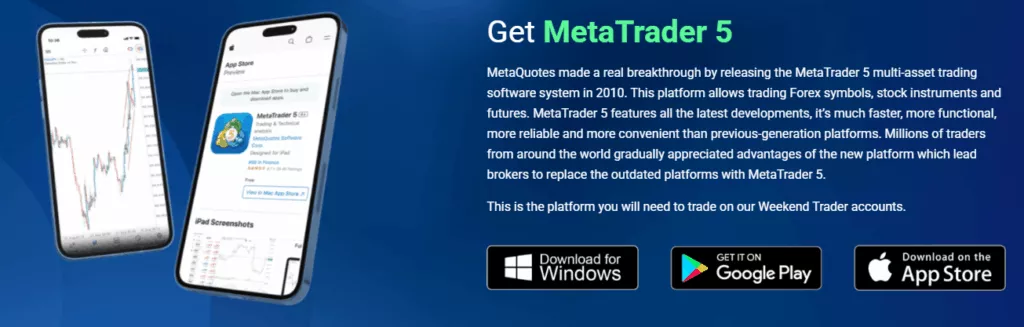
MetaTrader 5 is the most advanced mobile trading platform for Android, offering multi-asset support, professional charting, technical indicators, and automated trading. Its speed, versatility, and global broker adoption make it the top choice for both beginners and experienced traders.
3 Key Points to Consider:
- Broker Connection Required: You must link a regulated broker account to trade live markets; MT5 Mobile alone cannot execute real trades.
- Mobile Chart Management: Smaller screens limit detailed chart analysis, so zooming, timeframes, and indicators must be carefully managed.
- Risk & Order Control: Always use stop-loss, take-profit, and other risk management tools to protect your trades on-the-go.
Features
| ⚙️ Feature | |
| 🖥️ Platform Type | Mobile trading app for Android (broker-linked) |
| 💱 Supported Assets | Forex Stocks Commodities Indices Cryptocurrencies Futures |
| 📊 Charting Tools | Multi-timeframe charts, 21 timeframes, 80+ technical indicators |
| 📝 Order Types | Market orders, pending orders, stop-loss, take-profit, trailing stop |
| ⚡ Execution Type | Instant execution, market execution, fast order processing |
| 🤖 Automated Trading | Supports Expert Advisors (EAs) and algorithmic trading via mobile |
| 🔔 Alerts & Notifications | Price alerts, push notifications, mobile news feeds |
| 📈 Analysis Tools | Technical indicators, drawing tools, built-in economic calendar |
| 👤 Account Management | Multiple accounts, account overview, margin monitoring, deposits/withdrawals |
| 📱 Mobile Optimization | Lightweight, responsive interface, smooth charts, touch-friendly controls |
| 🔒 Security | Encrypted communication, secure login, broker-level authentication |
| 💬 Community & Support | Tutorials, broker integration, active MT5 mobile user forums |
Pros and Cons
| ✅ Pros | ❌ Cons |
| Multi-asset support – Trade forex, stocks, commodities, indices, and cryptocurrencies all in one app. | Steep learning curve – Beginners may find the interface and features complex at first. |
| Advanced charting tools – 21 timeframes, 80+ indicators, drawing tools, and mobile-optimized charts. | Broker dependency – Must link with a broker account to trade live markets. |
| Automated trading capability – Supports Expert Advisors (EAs) and algorithmic strategies directly from Android. | Limited screen space – Smaller mobile screens can make advanced chart analysis less comfortable. |
What makes MetaTrader 5 Mobile a top choice for Android traders?
MetaTrader 5 Mobile offers multi-asset trading, advanced charting tools, technical indicators, and automated trading via Expert Advisors. Its fast execution, mobile-optimized interface, and global broker support make it ideal for both beginners and professional traders on Android devices.
Can I use automated trading on MT5 Mobile?
Yes, MT5 Mobile supports Expert Advisors (EAs) and algorithmic trading. Traders can manage automated strategies, execute signals, and monitor performance directly from their Android devices, enabling efficient trading without needing to stay at a desktop terminal all the time.
2. MetaTrader 4 (MT4)
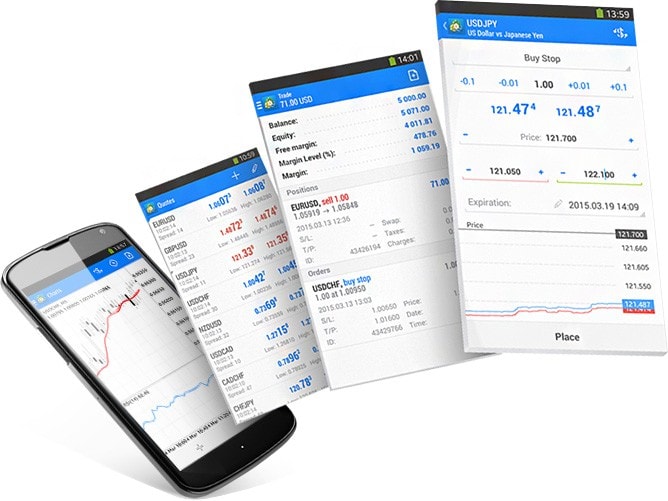
MetaTrader 4 is a reliable and user-friendly forex platform widely supported by brokers worldwide. Its straightforward interface, real-time quotes, and strong mobile performance make it ideal for traders who want a proven, dependable app for consistent forex trading.
3 Key Points to Consider:
- Broker Account Needed: MT4 Mobile requires a broker login to place real trades; it cannot operate independently.
- Simpler Charting Limitations: While user-friendly, MT4 Mobile has fewer timeframes and indicators than MT5, so plan analysis carefully.
- Use Risk Management Tools: Always apply stop-loss, take-profit, and trailing orders to manage exposure when trading on mobile.
Features
| ⚙️ Feature | |
| 🖥️ Platform Type | Mobile trading app for Android, broker-linked |
| 💱 Supported Assets | Forex CFDs on indices Commodities Limited stocks |
| 📊 Charting Tools | Multi-timeframe charts, 9 timeframes, 30+ indicators |
| 📝 Order Types | Market orders Pending orders Stop-loss Take-profit Trailing stop |
| ⚡ Execution Type | Instant execution and market execution |
| 🤖 Automated Trading | Supports Expert Advisors (EAs) Limited compared to MT5 |
| 🔔 Alerts & Notifications | Price alerts, push notifications, mobile news feeds |
| 📈 Analysis Tools | Technical indicators, drawing tools |
| 👤 Account Management | Multiple accounts, account overview, margin monitoring, deposits/withdrawals |
| 📱 Mobile Optimization | Lightweight, responsive interface, touch-friendly controls |
| 🔒 Security | Encrypted communication, secure login, broker authentication |
| 💬 Community & Support | Tutorials, broker support, active MT4 mobile user forums |
Pros and Cons
| ✅ Pros | ❌ Cons |
| Reliable and stable mobile trading platform | Fewer charting tools than MT5, less advanced |
| User-friendly interface, easy for beginners | Requires broker account; cannot trade standalone |
| Supports automated trading via Expert Advisors | Smaller mobile screens limit detailed chart analysis |
Can I trade real forex on MT4 Mobile without a broker?
No. MT4 Mobile requires a broker account to execute live trades. While you can access charts and demo accounts without funding, a regulated broker connection is essential for trading real currencies on Android.
What features make MT4 Mobile suitable for beginners?
MT4 Mobile offers a simple interface, easy order placement, and basic charting tools. It supports automated trading with Expert Advisors and allows demo accounts, making it ideal for beginners learning forex without being overwhelmed by advanced features.
3. TradingView

TradingView is the leading charting and analysis app for Android. With powerful technical indicators, drawing tools, and community-shared strategies, it allows traders to analyze markets deeply. Integration with brokers enables live trading directly from the charts, enhancing usability.
3 Key Points to Consider:
- Broker Integration Required for Live Trading: TradingView itself is not a broker. To execute real trades, you must link it with a supported broker account.
- Advanced Charting Tools: The app offers powerful charts, dozens of indicators, and drawing tools, but the mobile screen size can make complex technical analysis slightly less convenient.
- Community & Ideas: TradingView’s social features let you follow strategies, share ideas, and learn from other traders, but always verify any trade suggestions before copying them.
Features
| ⚙️ Feature | |
| 🖥️ Platform Type | Charting & analysis app, broker-integrated for live trading |
| 💱 Supported Assets | Forex Stocks Commodities Indices Cryptocurrencies |
| 📊 Charting Tools | Advanced charts, multiple timeframes, 100+ technical indicators |
| 📝 Order Types | Supports live trading only via integrated brokers |
| ⚡ Execution Type | Depends on linked broker for order execution |
| 🤖 Automated Trading | Alerts for automated strategies; no built-in EA support |
| 🔔 Alerts & Notifications | Price alerts, push notifications, customizable alerts |
| 📈 Analysis Tools | Drawing tools, trendlines, Fibonacci, indicators, and strategies |
| 👤 Account Management | View multiple broker accounts via connection; profile settings |
| 📱 Mobile Optimization | Touch-friendly interface, responsive charts, smooth mobile experience |
| 🔒 Security | Encrypted communication, secure login via TradingView account |
| 💬 Community & Support | Social features, shared ideas, tutorials, active trader community |
Pros and Cons
| ✅ Pros | ❌ Cons |
| Powerful charting with 100+ technical indicators | Cannot trade directly without a linked broker |
| Social trading features – follow ideas and strategies | Advanced tools may overwhelm beginner traders |
| Customizable alerts and notifications for price movements | Smaller mobile screen can limit detailed analysis |
Can I trade forex directly on TradingView Mobile?
TradingView Mobile is primarily a charting and analysis platform. You cannot trade directly unless you connect a supported broker account. Once integrated, you can execute trades, track positions, and manage orders from your Android device.
What makes TradingView Mobile ideal for technical analysis?
TradingView Mobileprovides advanced charts, multiple timeframes, over 100 technical indicators, and drawing tools. Its social trading community allows sharing ideas and strategies, making it a powerful Android app for analyzing markets before executing trades.
4. cTrader
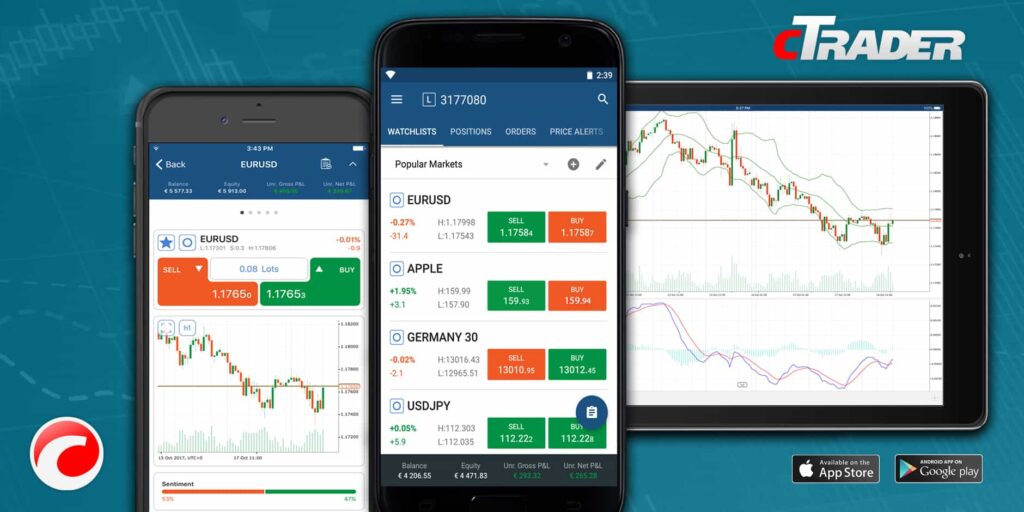
cTrader is designed for ECN traders seeking fast execution and professional mobile charts. Its Depth of Market, clean interface, and advanced order types make it an outstanding choice for technical traders looking for Android trading precision.
3 Key Points to Consider:
- ECN-Focused Trading: cTrader is designed for ECN accounts, offering tight spreads, fast execution, and direct market access. Ideal for professional traders prioritizing speed and low-cost trading.
- Advanced Charting & Order Tools: The mobile app provides flexible charting, multiple timeframes, technical indicators, and advanced order types, including market, limit, stop, and trailing stop orders.
- Mobile Optimization & Usability: cTrader Mobile is touch-friendly, responsive, and lightweight. However, smaller screens may limit detailed multi-chart analysis, so users should familiarize themselves with navigation and zoom tools.
Features
| ⚙️ Feature | |
| 🖥️ Platform Type | ECN trading platform, broker-linked for Android |
| 💱 Supported Assets | Forex Commodities Indices Cryptocurrencies CFDs |
| 📊 Charting Tools | Advanced charts, multiple timeframes, 70+ indicators, drawing tools |
| 📝 Order Types | Market Limit Stop Trailing stop OCO orders |
| ⚡ Execution Type | Fast ECN execution with tight spreads |
| 🤖 Automated Trading | Supports cBots for algorithmic trading and automation |
| 🔔 Alerts & Notifications | Price alerts, push notifications, trade updates |
| 📈 Analysis Tools | Technical indicators, chart patterns, trendlines, Fibonacci tools |
| 👤 Account Management | Multiple accounts, balance overview, margin monitoring, deposits/withdrawals |
| 📱 Mobile Optimization | Touch-friendly, responsive UI, smooth charting experience |
| 🔒 Security | Encrypted communication, secure login, broker-level authentication |
| 💬 Community & Support | Tutorials, forums, broker integration, cTrader support resources |
Pros and Cons
| ✅ Pros | ❌ Cons |
| Fast ECN execution with tight spreads | Smaller mobile screens limit multi-chart analysis |
| Advanced charting and technical indicators | Requires a broker account for live trading |
| Supports automated trading with cBots | Slightly steeper learning curve for beginners |
What makes cTrader Mobile ideal for ECN trading?
cTrader Mobile offers fast ECN execution, tight spreads, and direct market access. Its advanced charting, multiple order types, and mobile optimization make it perfect for traders seeking professional-grade Android forex trading tools.
Can I use automated trading on cTrader Mobile?
Yes, cTrader Mobile supports cBots for algorithmic trading. Traders can monitor automated strategies, manage trades, and adjust settings directly from their Android devices, enabling flexible algorithmic execution without needing a desktop platform.
5. FOREX.com Mobile App

FOREX.com’s Android app combines proprietary trading tools with TradingView-powered charts, news, and research. Its smooth execution, regulatory reliability, and comprehensive features make it ideal for beginners and experienced traders who want a trusted broker platform.
3 Key Points to Consider:
- Broker Account Required: You need a registered FOREX.com account to place live trades; the app alone cannot execute real trades. Demo accounts are available for practice.
- Integrated Research & Analysis: The app provides built-in market research, news, economic calendars, and charting tools. Traders should use these features to make informed decisions before placing orders.
- Manual Trading Focus: FOREX.com Mobile emphasizes manual trading. Automated trading options are limited, so traders should be comfortable managing orders, stop-loss, and take-profit settings directly on the mobile platform.
Features
| ⚙️ Feature | |
| 🖥️ Platform Type | Proprietary broker mobile trading app |
| 💱 Supported Assets | Forex Commodities Indices Cryptocurrencies CFDs |
| 📊 Charting Tools | Multi‑timeframe charts, drawing tools, indicators |
| 📝 Order Types | Market Limit Stop Trailing stops |
| ⚡ Execution Type | Fast and reliable order execution |
| 🤖 Automated Trading | Limited |
| 🔔 Alerts & Notifications | Price alerts, push alerts, custom notifications |
| 📈 Analysis Tools | Built‑in research, news feeds, economic calendars |
| 👤 Account Management | Account overview, balance, deposits/withdrawals |
| 📱 Mobile Optimization | User‑friendly, smooth Android experience |
| 🔒 Security | Encrypted connectivity, secure sign‑in |
| 💬 Community & Support | Tutorials, broker support, in‑app help |
Pros and Cons
| ✅ Pros | ❌ Cons |
| Combines advanced charts with broker tools | Not as customizable as standalone chart apps |
| Integrated research and news features | Automated trading options are limited |
| Strong execution and platform reliability | Requires FOREX.com account to trade |
Is FOREX.com Mobile good for beginners?
Yes. FOREX.com Mobile offers a simple interface, combined with research tools, charts, economic calendars, and price alerts. Beginners benefit from integrated educational resources and clear order placement, making it easier to learn and trade forex on Android.
Can I access detailed market analysis on FOREX.com Mobile?
Yes, the app includes built‑in market research, expert commentary, and real‑time news feeds. Combined with charting tools and economic calendars, this makes it easier to analyze the forex market and make informed trading decisions directly from your Android device.
6. Exness Trader App

Exness Trader is optimized for Android with real-time quotes, fast deposits, and instant withdrawals. Its smooth interface, wide asset access, and reliable trade execution make it a strong choice for traders seeking convenience and mobile efficiency.
4 Key Points to Consider:
- Full trading functions: Open, modify, and close orders straight from your phone. You can also set Stop‑Loss and Take‑Profit levels.
- Advanced charting tools: Includes interactive charts with multiple timeframes and technical indicators to help analyse price movements.
- Account & fund management: Deposit, withdraw, switch between accounts (demo/live), and monitor balances directly in the app.
- Real‑time market info & alerts: Price alerts and notifications help you track important changes while trading on the go.
Features
| Category | |
| ⚙️ Features | Real‑time trading Market watch Advanced charting Price alerts Trading calculator Economic calendar Detailed order overview In‑app deposits/withdrawals, favourites/top movers. |
| 🖥️ Platform Type | Exness Trade — dedicated Android mobile trading app (MT5‑based terminal). |
| 💱 Supported Assets | 130+ instruments Forex Crypto Stocks Indices Metals Energies. |
| 📊 Charting Tools | Interactive charts (candlestick, bar, line), multiple timeframes, built‑in indicators. |
| 📝 Order Types | Market, limit and stop orders; modify/cancel pending orders. |
| ⚡ Execution Type | Instant/market execution with fast processing; designed for quick fills. |
| 🤖 Automated Trading | N/A |
| 🔔 Alerts & Notifications | Push price alerts, trade status notifications, economic events alerts. |
| 📈 Analysis Tools | Market analysis News Trading Central signals Economic calendar Technical indicators. |
| 👤 Account Management | Login/account creation Switch accounts View history Deposit/withdraw funds. |
| 📱 Mobile Optimization | Designed for Android touch interfaces with intuitive navigation. |
| 🔒 Security | Biometric login options & push login protection (2FA available via Personal Area). |
| 💬 Community & Support | In‑app live chat support, FAQs, help centre access; broader community/forums exist externally. |
Pros and Cons
| ✅ Pros | ❌ Cons |
| User‑friendly interface, easy for beginners. | No automated trading (no EAs). |
| Trade many instruments with charts and real‑time data. | Can lag on older devices. |
| Manage accounts & funds easily in‑app. | Fewer features than desktop MT4/MT5. |
Can I trade all my usual assets on Exness Mobile?
Yes, Exness Mobile allows trading over 130 instruments, including forex, cryptocurrencies, stocks, indices, metals, and energies. You can access real-time quotes, charts, and market analysis, making it convenient to manage most trading activities directly from your Android device.
Is Exness Mobile suitable for beginners?
Absolutely. The app features a clean, intuitive interface with simple navigation, integrated tutorials, push alerts, and account management tools. Beginners can easily place orders, track positions, and monitor market movements without needing prior advanced trading experience.
7. Pepperstone (via MT5/MT4/cTrader)
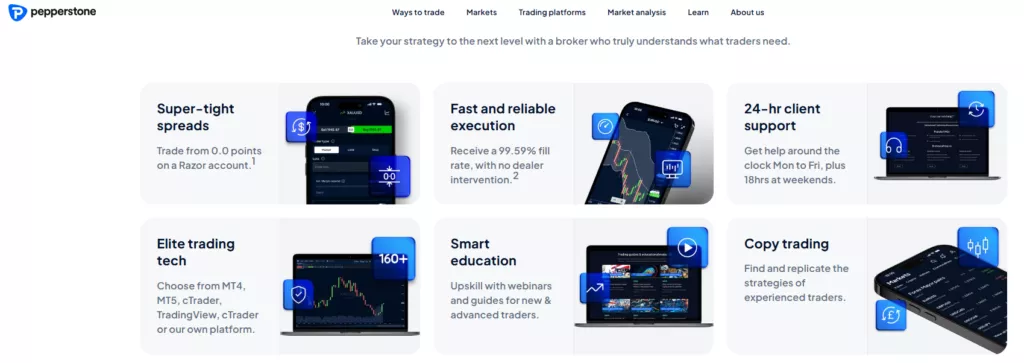
Pepperstone offers Android traders access to MT4, MT5, and cTrader platforms with tight spreads and fast execution. Its integration with leading platforms ensures professional-grade trading and flexibility, making it an excellent mobile app for competitive forex trading.
3 Key Points to Consider:
- Multiple App Options with Full Trading Tools: Pepperstone mobile trading is available through popular platforms like MT4, MT5, and cTrader, all offering real‑time quotes, order execution, and charting on the go — giving flexibility depending on your trading style and experience level.
- Responsive Execution and Charting: The apps support fast order execution, multiple order types, watchlists, and responsive charts with technical indicators. cTrader especially gives a modern interface and depth‑of‑market view, suitable for active and advanced traders.
- Security & Convenience vs Limited Mobile Depth: Mobile logins support two‑factor authentication for added security, and account management features are integrated. However, charting and analytic depth are generally less detailed than on desktop platforms — so heavy technical analysis is better suited to larger screens.
Features
| Feature | |
| ⚙️ Features | Full trading functions: open/close/modify positions, watchlists, market watch, multiple platforms (MT4, MT5, cTrader) supported. |
| 🖥️ Platform Type | MetaTrader 4 MetaTrader 5 cTrader mobile apps for Android & iOS. |
| 💱 Supported Assets | Forex CFDs on indices Stocks Commodities Cryptos and ETFs (once supported via chosen platform). |
| 📊 Charting Tools | Responsive charts; cTrader has advanced charting (multiple chart types, 65 indicators). |
| 📝 Order Types | Market Limit, stop Pending and SL/TP One‑tap trading on cTrader. |
| ⚡ Execution Type | Fast order execution across platforms; “QuickTrade” one‑tap on cTrader. |
| 🤖 Automated Trading | Limited on mobile itself — desktop MT4/MT5/cTrader supports EAs or bots; cTrader Automate available on platforms with C#. |
| 🔔 Alerts & Notifications | Push and email price alerts available (especially on cTrader). |
| 📈 Analysis Tools | Watchlists Technical indicator Trading statistic News feeds depending on platform choice. |
| 👤 Account Management | Login, account switch/change, balance/equity views, trade history. |
| 📱 Mobile Optimization | Designed for smartphones/tablets with intuitive UI and touch controls. |
| 🔒 Security | Standard login 2FA available via platform settings Platform encryption. |
| 💬 Community & Support | In‑app support, access to MQL5 community (MT5) and general help sections; social groups for cTrader. |
Pros and Cons
| ✅ Pros | ❌ Cons |
| Users mainly trade via mobile versions of third‑party platforms such as MetaTrader 4 (MT4), MetaTrader 5 (MT5), and cTrader, | Pepperstone does not currently have its own standalone Android trading app |
| Fast execution with alerts & watchlists. | Small screen limits detailed charting. |
| Secure logins with 2FA & notifications. | Proprietary app fewer tools than MT4/MT5/cTrader. |
Can I trade directly from my phone with Pepperstone?
Yes, you can trade on mobile by installing the MT4, MT5, or cTrader apps on your Android or iOS device and logging in with your Pepperstone account. These apps let you place trades, view charts, and manage your positions.
Are the mobile apps secure for Pepperstone trading?
Yes, the mobile platforms support secure logins and encryption, and you can enable two‑factor authentication (2FA) through your account settings to add extra protection for your trading and personal information.
8. AvaTrade – AvaTradeGo
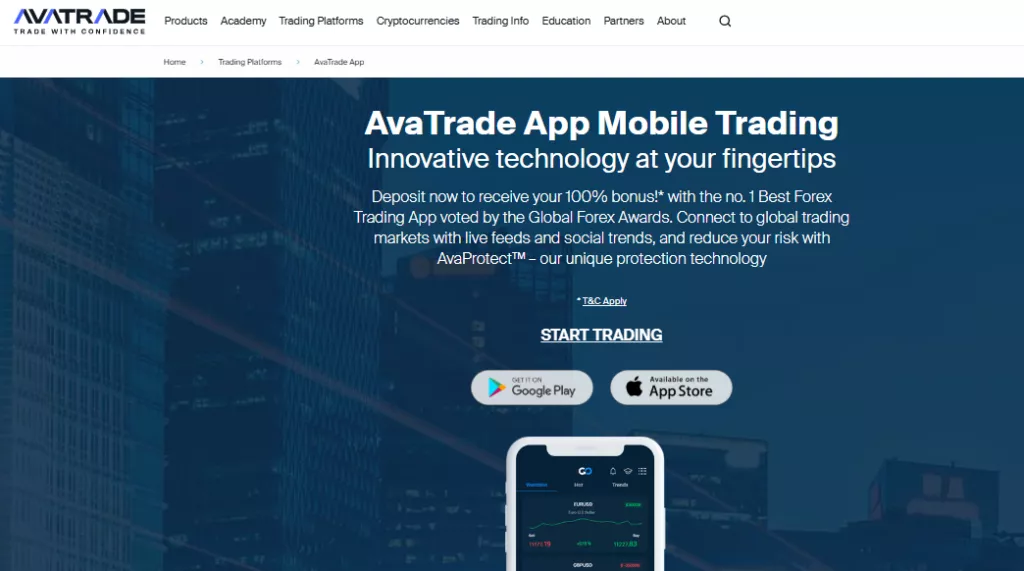
AvaTradeGo is a beginner-friendly Android app with intuitive navigation and strong risk management tools. It provides market analysis, charting, and trade protection features, making it perfect for new traders seeking a safe and guided mobile trading experience.
3 Key Points to Consider:
- User‑friendly mobile trading with core tools: AvaTradeGO offers an intuitive interface designed for mobile use, letting you place trades, view real‑time market data, use price alerts, and manage orders on the go.
- Integrated risk and trading tools: The app includes features like AvaProtect risk protection, economic calendar, custom alerts, sentiment info, and technical indicators, useful for both beginners and active traders.
- Mobile convenience vs desktop limitations: While it’s great for everyday trading and monitoring, charting and advanced analysis tools remain more basic than desktop platforms, so serious technical work might still require a desktop.
Features
| Feature | |
| ⚙️ Features | One‑tap trading, custom order entry, market sentiment, price alerts, economic calendar, built‑in education & live support. |
| 🖥️ Platform Type | Proprietary mobile trading app available on Android & iOS. |
| 💱 Supported Assets | Forex Commodities Indices Stocks/ETF Cryptocurrency CFDs (varies by region). |
| 📊 Charting Tools | Real‑time charts with multiple timeframes and indicators (basic compared to desktop). |
| 📝 Order Types | Market, limit Stop orders AvaProtect risk‑protection orders. |
| ⚡ Execution Type | Instant market execution with real‑time pricing. |
| 🤖 Automated Trading | N/A |
| 🔔 Alerts & Notifications | Push alerts for price levels and market events. |
| 📈 Analysis Tools | Market sentiment data, news feeds, and economic calendar. |
| 👤 Account Management | Login, demo/live switch, deposit/withdraw funds, check balance/history. |
| 📱 Mobile Optimization | Smartphone‑friendly UI and intuitive navigation. |
| 🔒 Security | Biometric login (fingerprint/Face ID) and encrypted connections. |
| 💬 Community & Support | In‑app live chat, educational resources, and news content. |
Pros and Cons
| ✅ Pros | ❌ Cons |
| User‑friendly & intuitive, Easy interface for placing trades and checking markets. | Basic charting tools, Not as advanced as desktop platforms. |
| Useful built‑in tools, Price alerts, economic calendar, market sentiment. | No automated trading, You can’t run bots or EAs in the app. |
| Manage account easily, Switch between demo/live, deposits/withdrawals in‑app. | Limited advanced features, Best for simple trading, not professional analysis. |
Can I trade all my favorite markets on AvaTradeGO?
Yes, AvaTradeGO lets you trade forex, indices, commodities, stocks/ETFs, and cryptocurrency CFDs. You can view real‑time prices, place market and pending orders, and monitor your positions directly from the app.
Does AvaTradeGO offer advanced tools for analysis?
AvaTradeGOincludes basic charting, technical indicators, price alerts, sentiment data, and an economic calendar. While these tools are helpful for on‑the‑go decisions, more advanced charting and custom indicators are better suited to desktop platforms.
9. XM Trading App

XM’s mobile app offers solid forex trading features with charting, alerts, and market news. While most traders prefer MT4/MT5, the XM app provides convenient Android access for users who want direct broker functionality and reliable trade execution.
3 Key Points to Consider:
- Multiple Mobile Options & User‑Friendly: XM supports mobile trading through both its own proprietary app and the MetaTrader 4 & MT5 mobile platforms. These are designed to give fast execution, real‑time prices, and easy navigation for traders of all levels.
- Broad Asset Access & Charting Tools: The app offers trading across 1000+ instruments, including forex, commodities, indices, stocks, and cryptocurrencies, along with interactive charts and several technical indicators for on‑the‑go analysis.
- Integrated Account Management & Alerts: You can manage your account (deposits, withdrawals, balances) right in the app, and receive real‑time alerts and push notifications for market events and order executions.
Features
| Feature | |
| ⚙️ Platform Type | XM proprietary app + MetaTrader 4 & MT5 mobile apps (Android & iOS) |
| 💱 Supported Assets | 1000+ instruments Forex Stocks Indices Commodities Metals |
| 📊 Charting Tools | Interactive charts with multiple timeframes, technical indicators, drawing tools |
| 📝 Order Types | Market, limit, stop, pending orders with SL/TP settings |
| ⚡ Execution Type | Fast market execution with synchronized positions on mobile/desktop |
| 🤖 Automated Trading | Available via MT5 with Expert Advisors (desktop sync) Not native automated strategies on mobile |
| 🔔 Alerts & Notifications | Push notifications for price alerts and news; alerts can be managed via MT platforms |
| 📈 Analysis Tools | Watchlists Technical indicator News Economic calendar within MT platforms |
| 👤 Account Management | Check balance, deposit/withdraw, transaction history, account switch |
| 📱 Mobile Optimization | Mobile‑friendly UI, Android & iOS support |
| 🔒 Security | Standard encryption, optional two‑factor authentication (2FA) |
| 💬 Support | In‑app support, multilingual interface and help resources |
Pros and Cons
| ✅ Pros | ❌ Cons |
| Wide asset access, trade 1000+ instruments including forex and CFDs. | Limited advanced tools, chart depth and complex analysis are more limited than desktop versions. |
| Fast, reliable execution, strong order execution and synchronized positions across devices. | Alerts setup is limited, built‑in push alerts may depend on MetaTrader notifications. |
| Intuitive for beginners & pros, user‑friendly layout with essential indicators and watchlists. | Security features can improve, some reports note lack of native biometric login on parts of the app. |
Can I manage my account and trade on the XM mobile app?
Yes, the XM mobile app lets you log into your XM account, switch between demo and live accounts, view balances and trade history, make deposits/withdrawals, and place or modify trades directly from your Android or iOS device.
Are advanced charting tools available on the XM mobile app?
The app provides real‑time charts with multiple timeframes and several technical indicators, which are great for on‑the‑go analysis. However, more advanced charting features and custom tools are easier to use on the desktop MetaTrader platforms.
10. Octa
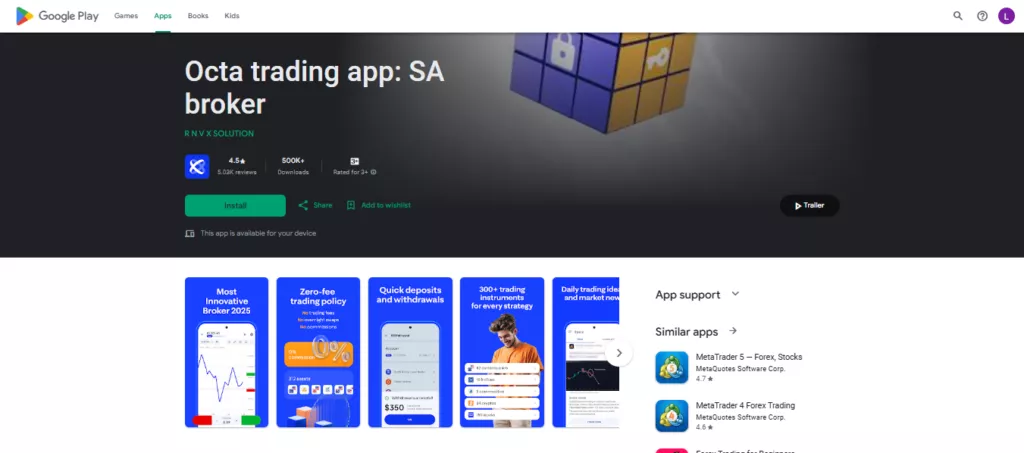
Octa is tailored for traders in emerging markets, offering Android users fast execution, real-time pricing, and accessible features. Its regional focus, mobile optimization, and demo account support make it a practical choice for new and regional forex traders.
3 Key Points to Consider:
- Mobile‑friendly Trading with Core Tools: Octa’s mobile app lets you access real‑time prices, trade execution, market watch, and account management on your Android or iOS device, helping you monitor and manage trades on the go.
- Charting & Alerts for On‑the‑Go Analysis: The app integrates charting with multiple indicators, timeframes, push price alerts, and an economic calendar so you can stay aware of market movements while away from a desktop.
- Quick Deposits/Withdrawals & Smart Feed Tools: Traders report fast deposits/withdrawals and an in‑app “smart feed” of trading ideas and insights, which can help with quick decision‑making, though experiences vary by user.
Features
| Feature | |
| ⚙️ Core Trading Functions | Open/modify/close positions, market & pending orders, stop‑loss/take‑profit. |
| 💱 Supported Assets | Forex currency pairs Commodities (gold, oil) Indices Cryptocurrencies Metals. |
| 📊 Charting Tools | Real‑time charts with multiple timeframes, technical indicators & zoom/scroll. |
| 📝 Order Types | Market orders, pending orders, adjustable lot sizes, SL/TP, trailing stop options. |
| ⚡ Execution Type | Fast real‑time execution with live price feeds. |
| 🤖 Automated Trading | N/A |
| 🔔 Alerts & Notifications | Price alerts, market updates and order notifications. |
| 📈 Analysis Tools | Economic calendar, market news, daily insights. |
| 👤 Account Management | Deposit/withdraw funds, view balances/history, manage multiple accounts. |
| 📱 Mobile Optimization | Intuitive mobile‑friendly UI with push notifications and responsive chart design. |
| 🔒 Security | Encrypted login and secure transaction handling. |
| 💬 Copy Trading Integration | In‑app interface for following/copying strategies and expert traders. |
Pros and Cons
| ✅ Pros | ❌ Cons |
| User‑friendly & smooth app interface – Many traders say the mobile platform is easy to use with fast execution. | Withdrawal issues reported by some users – Numerous reviews mention delays, pending requests or funds not credited. |
| Fast deposits and execution – Deposits and trades generally process quickly for many users. | Inconsistent customer support responses – Some traders struggle with slow or unclear replies from support. |
| No deposit/withdrawal fees and competitive spreads – OctaFX often has tight spreads and low non‑trading costs. | Regulatory and trust concerns in some regions – Reports exist about licence issues, account freezes and risk warnings in certain markets. |
What are the key features of the Octa mobile trading app?
The Octa Android app offers real‑time quotes, advanced charting with indicators and timeframes, push notifications, and an economic calendar. You can manage accounts, place and modify trades, and stay updated on price moves and market events on the go.
Is the Octa mobile trading app suitable for all experience levels?
Yes, Octa’s mobile platform is designed to be user‑friendly for beginners and flexible enough for more experienced traders, with intuitive navigation and clear tools. However, always verify broker regulation and local legal compliance before trading live funds.
Conclusion
In 2026, Android forex traders benefit from apps that combine speed, reliability, advanced charting, and robust broker integration. While many platforms cater to beginners and casual traders, professional and top traders prioritize execution, multi-asset access, and automated trading capabilities. Among the 10 leading apps, MetaTrader 5 (MT5) Mobile stands out as the best choice for serious traders. Its advanced charting, technical indicators, algorithmic trading support, and widespread broker compatibility make it ideal for managing complex strategies on the go. cTrader and TradingView are excellent alternatives for ECN-focused trading or deep technical analysis, but MT5 remains the most versatile all-in-one solution for Android trading. Top traders will find MT5 Mobile a powerful tool for executing trades efficiently, managing risk, and monitoring markets anytime, anywhere.
You might also like:
Best Metatrader 5 Forex BrokersBest Forex Traders to Follow on FacebookBest Shares to Buy Today on the JSEWhat is a Forex Broker – Revealed (2026)Best Zero-Spread Forex BrokersSAShares Instagram
Frequently Asked Questions
What makes an Android trading app truly professional for serious traders?
A professional app must offer reliable execution, advanced charting, real‑time data, multiple order types, risk tools (stop‑loss/take‑profit), smooth broker integration, fast performance, robust security, and minimal latency. It should support multi‑asset trading and customizable layouts for quick decision‑making.
Why is execution speed important on an Android trading app?
Fast execution reduces slippage and improves trade outcomes during volatile markets. Mobile platforms with optimized servers and direct broker connections help ensure orders are filled at expected prices, a must for scalpers and high‑frequency strategies.
How does charting on mobile compare to desktop platforms?
Mobile charting now offers multiple timeframes, indicators, drawing tools, and alerts. Though screens are smaller, top apps allow zoom, layout switching, and saved templates. For deep analysis, many traders prepare setups on da esktop then execute and monitor on Android.
What role does broker integration play in Android trading apps?
Broker integration connects the mobile interface to actual trading accounts. A top trader needs regulated brokers, tight spreads, clear fills, and synced balances. Apps like MetaTrader and cTrader link to numerous brokers for flexibility and competitive conditions.
Can Android trading apps support automated strategies?
Yes, platforms like MT5 and cTrader support algorithmic trading (EAs and cBots). Traders can monitor, start/stop, and adjust automation remotely. However, full strategy development and backtesting are still easier on larger devices.
Is security on Android trading apps good enough for professional use?
Top apps use encryption, biometric logins, two‑factor authentication (2FA), and secure APIs. Combined with broker regulation and segregation of client funds, this protects accounts and data. Users should also secure their devices and avoid public Wi‑Fi for trading.
How important are news and analysis tools within the app?
Real‑time news, economic calendars, sentiment data, and expert insights help inform trade decisions. While not a substitute for full research platforms, quality in‑app tools save time and help traders react quickly to market events.
Should a top trader use one app or multiple Android platforms?
Many professionals use multiple apps: one for fast execution (MT5 or cTrader), another for deep charting and ideas (TradingView), plus a broker’s native app for direct features. This diversifies tools while centralizing execution.
What are the key risk management features traders should look for?
Essential risk tools include guaranteed stop‑loss, trailing stops, alerts, position sizing calculators, and session volatility indicators. These help protect capital, automate exits, and manage exposure even while on the move.
How do Android apps handle multiple asset trading?
Top platforms allow trading of forex, indices, stocks, commodities, and sometimes cryptocurrencies. The ability to switch assets seamlessly within the app saves time and supports diversified strategies without logging into different systems.
You Might Also Like




Recommended brokers