

Overall, PayFast, now commonly branded as Payfast by Network, is one of South Africa’s best-known online payment gateways for businesses, eCommerce stores, service providers, charities, and online platforms. PayFast allows South African merchants to accept secure online payments through payment methods such as cards, Instant EFT, Capitec Pay, QR code payments, mobile wallets, store cards, subscriptions, and payment requests. It is especially popular with small to medium-sized businesses that want a simple way to start accepting online payments without needing a traditional merchant account for the Aggregation solution.
Is PayFast safe for South African businesses?
Yes, PayFast is generally considered a safe online payment gateway for South African businesses. PayFast by Network states that it is PCI DSS Level 1 compliant, which is the highest level of payment card data security certification in the payments industry. The platform also uses fraud checks, secure servers, 3D Secure, 3D Secure 2, two-factor authentication, validation checks, fraud reviews, and encrypted payment infrastructure to help protect both buyers and sellers. However, merchants should still secure their own websites, use strong passwords, keep plugins updated, and monitor transactions for suspicious activity.

🏆10 Best Forex Brokers in South Africa
| Rank | Broker | Broker Review | Regulators | Minimum Deposit | Visit Broker |
|---|---|---|---|---|---|
| 🥇 |  | Read Review | ASIC, FSA, CBI, BVI, FSCA, FRSA, CySEC, ISA, JFSA | $100 | Visit Now |
| 🥈 |  | Read Review | FSCA, FCA, DFSA, FSA, CMA | $0 | Visit Now |
| 🥉 |  | Read Review | CySEC, IFSC, DFSA, FCA | $5 | Visit Now |
| 4 |  | Read Review | ASIC, CySEC, FSA, SCB | $0 | Visit Now |
| 5 |  | Read Review | BVI FSC | $0 | Visit Now |
| 6 |  | Read Review | FSA, FSC, FSCA, ASIC, CMA | $20 | Visit Now |
| 7 |  | Read Review | Exness is a globally regulated broker, holding multiple licenses from respected financial regulators around the world. | $10 | Visit Now |
| 8 |  | Read Review | ASIC, CySEC, FSCA, FSA, FSC, CMA | $100 | Visit Now |
| 9 |  | Read Review | FSC | $10 | Visit Now |
| 10 |  | Read Review | FSA, CySEC, FSCA, FSC | $10 | Visit Now |


What are PayFast’s fees, and how long do payouts take?
PayFast charges transaction fees only when a successful payment is made. On the PayFast Aggregation solution, there are no setup fees, monthly fees, or hidden fees. PayFast’s published fee examples include card payments at 3.2% plus R2.00 per transaction, Instant EFT at 2.0% with a minimum R2.00 fee, Capitec Pay at 2.0% with a minimum R2.00 fee, and Google Pay at 3.2% plus R2.00 per transaction. Fees can change, so South African merchants should always check the latest PayFast fee page before integrating it into their website.
| Payment Method | Typical PayFast Fee | Best For |
|---|---|---|
| Credit and Cheque Card | 3.2% + R2.00 per transaction | Online stores and card payments |
| Instant EFT | 2.0%, minimum R2.00 | Customers who prefer bank transfers |
| Capitec Pay | 2.0%, minimum R2.00 | Capitec customers in South Africa |
| Google Pay | 3.2% + R2.00 per transaction | Fast wallet-based card payments |
| QR Code Payments | Check latest PayFast pricing | SnapScan, Zapper, Vodapay, and banking apps |
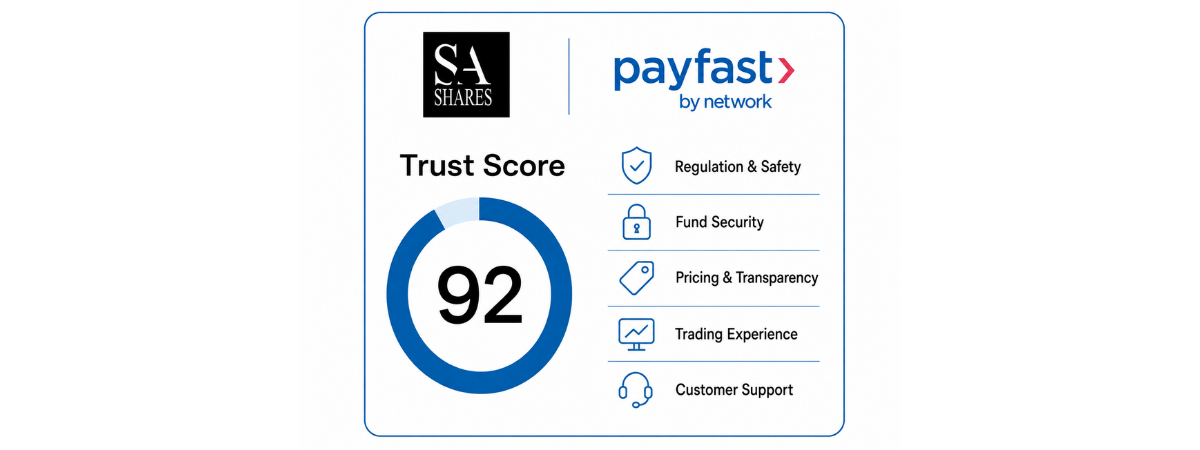
PayFast Trust Score
Pros and Cons
| Pros | Cons |
|---|---|
| No setup or monthly fees on the Aggregation solution | Transaction fees can become expensive for high-volume businesses |
| Supports many popular South African payment methods | Some advanced gateway features may require a merchant bank account |
| PCI DSS Level 1 compliant payment security | Merchants still need to secure their own websites and integrations |
| Easy integration with WooCommerce, Shopify, and other plugins | Chargebacks and fraud reviews can affect cash flow |
| Good option for small businesses, online stores, and service providers | Businesses must check payout timing, refund rules, and payment method limits |
PayFast Overview
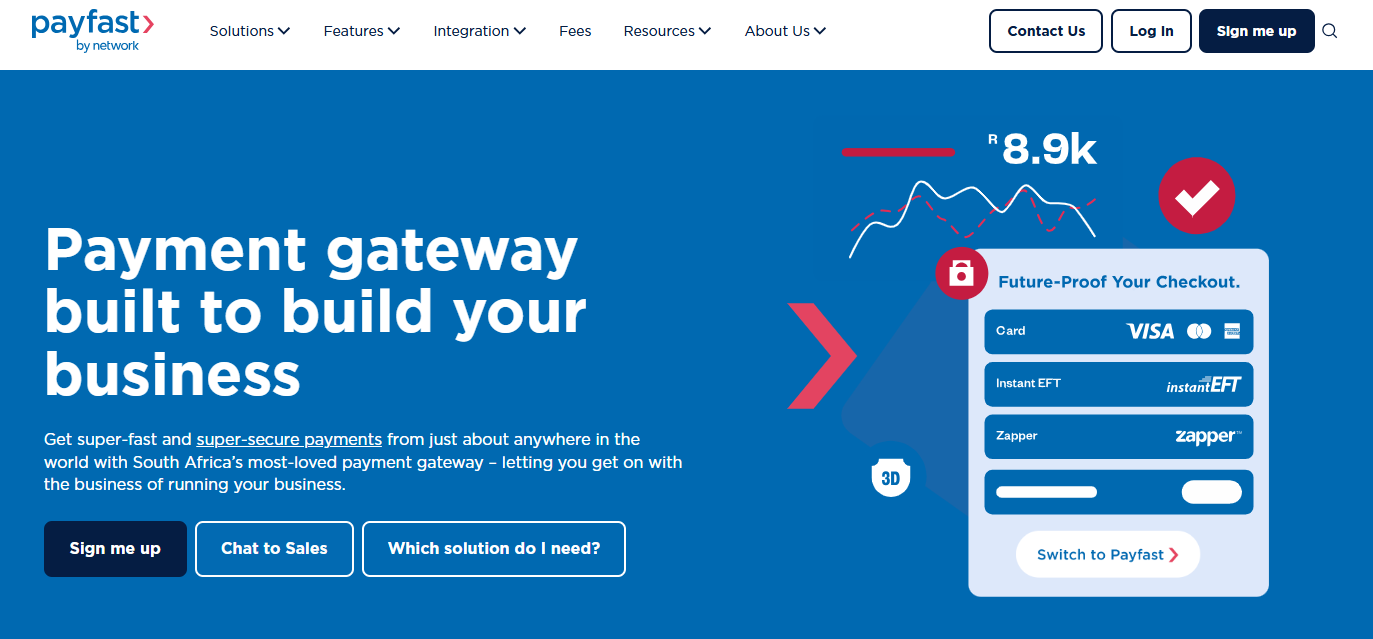
PayFast is a South African online payment gateway that helps merchants accept secure payments from customers online. It is used by eCommerce stores, subscription businesses, service providers, charities, event organisers, and digital platforms. PayFast supports multiple payment methods, including cards, Instant EFT, Capitec Pay, mobile wallets, QR payments, store cards, and subscription billing. The platform is now part of Network International, which gives PayFast by Network broader payment infrastructure and regional backing.
What makes PayFast different from other South African payment gateways?
PayFast is known for being easy to set up, especially for small businesses that want to accept online payments without needing a traditional merchant account. Its Aggregation solution allows eligible merchants to start accepting payments with no setup fee or monthly fee, while larger or more complex businesses can consider the Gateway solution. PayFast also offers many website integrations, developer tools, payment request features, subscriptions, refunds, and split payment options.
Can PayFast be used by small businesses in South Africa?
Yes, PayFast is widely used by small and medium-sized businesses in South Africa. It can be suitable for online shops, freelancers, service providers, event organisers, charities, membership businesses, and subscription-based websites. Merchants should still compare PayFast with other providers such as Peach Payments, Paystack, Ozow, Yoco, and PayGate to make sure the payment methods, fees, settlement times, and integration options match their business needs.
Features Offered
- PayFast allows South African businesses to accept secure online payments through multiple payment methods.
- The platform supports cards, Instant EFT, Capitec Pay, QR payments, store cards, subscriptions, payment requests, and other local payment options.
- PayFast offers no setup fees and no monthly fees on its Aggregation solution, with merchants paying per successful transaction.
- The platform integrates with many popular eCommerce platforms, shopping carts, booking systems, and custom websites through plugins and APIs.
- PayFast by Network provides fraud prevention, PCI DSS Level 1 compliance, 3D Secure, and additional payment security features.
| Feature | PayFast Details |
|---|---|
| Provider Type | South African online payment gateway |
| Best For | eCommerce stores, SMEs, service providers, charities, subscriptions, and online platforms |
| Setup Fee | No setup fee on the Aggregation solution |
| Monthly Fee | No monthly fee on the Aggregation solution |
| Payment Methods | Cards, Instant EFT, Capitec Pay, QR payments, mobile wallets, store cards, and more |
| Security | PCI DSS Level 1, 3D Secure, fraud checks, secure servers, and two-factor authentication |
| Integrations | Plugins, shopping carts, APIs, developer tools, and custom integrations |
| Business Type | Small businesses, growing companies, and enterprise merchants |
PayFast Customer Reviews
- Many South African businesses choose PayFast because it is easy to integrate with online stores and familiar to local customers.
- Merchants often value the range of local payment methods, especially Instant EFT, cards, Capitec Pay, and QR-based payments.
- Small businesses may appreciate the no monthly fee structure on the Aggregation solution because costs are linked to successful transactions.
- Some merchants may compare PayFast carefully against competitors when transaction volumes increase, because percentage-based fees can have a bigger impact on larger businesses.
| Review Area | Customer Experience |
|---|---|
| Ease of Use | Good for beginners and small businesses setting up online payments |
| Payment Options | Strong local payment method support for South African customers |
| Integrations | Works with many popular eCommerce platforms and plugins |
| Support | Support experience can vary depending on the issue and verification requirements |
| Fees | Simple for smaller merchants, but worth comparing at higher volumes |
PayFast Safety and Security
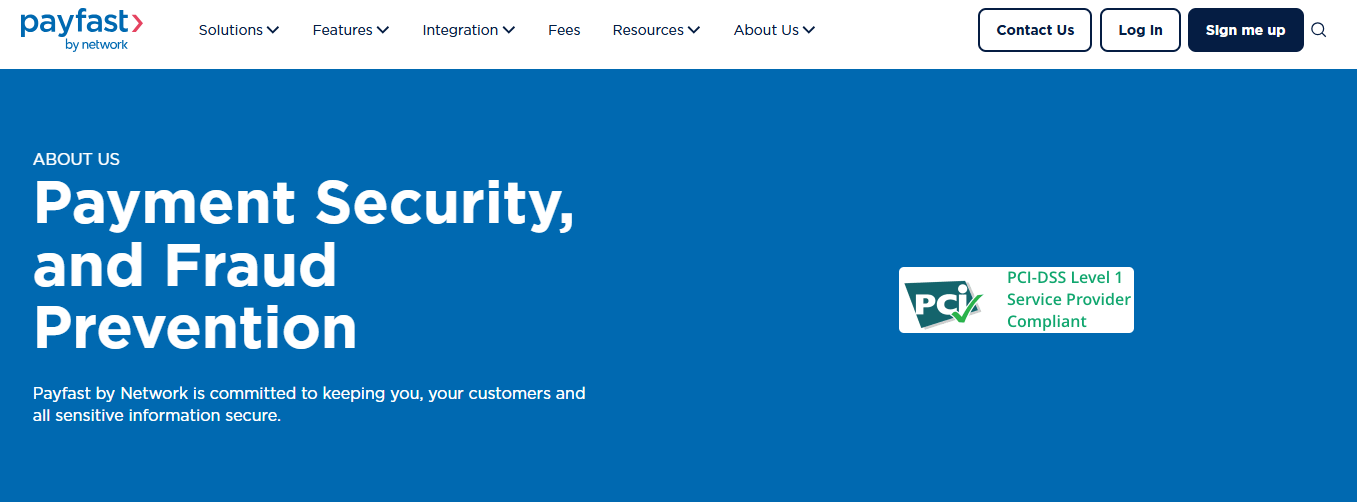
- PayFast by Network states that it is PCI DSS Level 1 compliant, which is the highest level of compliance for payment card data security.
- Card payments are processed in PayFast’s secure environment, helping merchants avoid handling sensitive card details directly.
- The platform uses 3D Secure and 3D Secure 2 for additional authentication on online card transactions.
- PayFast uses fraud reviews, validation checks, secure servers, two-factor authentication, web application firewall tools, and monitoring to help reduce fraudulent activity.
- Merchants should still keep their own websites, plugins, passwords, and admin accounts secure to reduce payment fraud and integration risk.
| Security Feature | How It Helps |
|---|---|
| PCI DSS Level 1 | Protects cardholder data according to the highest PCI compliance level |
| 3D Secure | Adds customer authentication for online card payments |
| 3D Secure 2 | Improves card authentication, especially for mobile transactions |
| Two-Factor Authentication | Adds extra protection to merchant account access |
| Fraud Reviews | Suspicious transactions may be manually reviewed |
| Secure Servers | Helps protect payment pages and account access |
How does PayFast protect customer payment information?
PayFast protects payment information by processing sensitive card data through its secure payment environment. It uses PCI DSS Level 1 compliance, secure servers, 3D Secure, fraud checks, validation tools, and encrypted infrastructure to help protect customer transactions. This reduces the need for merchants to store or handle sensitive card details directly.
What should South African merchants do to keep PayFast payments secure?
South African merchants should keep their website software, eCommerce plugins, admin passwords, and PayFast integration settings secure. They should also enable two-factor authentication where possible, check payment notifications carefully, monitor suspicious orders, and make sure orders are marked as paid only after PayFast confirms the transaction.
PayFast at a Glance
| Company Name | PayFast / Payfast by Network |
|---|---|
| Headquarters | South Africa |
| Service Type | Online payment gateway and payment processing platform |
| Best For | South African businesses accepting online payments |
| Setup Fee | No setup fee on Aggregation |
| Monthly Fee | No monthly fee on Aggregation |
| Payment Methods | Cards, Instant EFT, Capitec Pay, QR payments, mobile wallets, store cards, and more |
| Security | PCI DSS Level 1, fraud prevention, 3D Secure, secure servers |
| Integration Options | Plugins, shopping carts, API, payment requests, subscriptions, and custom integrations |
PayFast Account Types
PayFast offers different payment solutions depending on the size and needs of the business. Small and medium-sized businesses often use PayFast Aggregation because it does not require a traditional merchant bank account to start accepting online payments. Larger or more complex merchants may use PayFast Gateway, which can connect to their existing merchant banking relationship and provide more advanced processing options.
PayFast Aggregation
- PayFast Aggregation is designed for businesses that want a simple way to start accepting online payments.
- Merchants do not need a separate merchant bank account for the Aggregation solution.
- There are no setup fees or monthly fees on Aggregation; businesses pay per successful transaction.
- This option can suit online shops, freelancers, service providers, small businesses, and charities.
PayFast Gateway
- PayFast Gateway is designed for larger or more complex merchants with existing merchant banking arrangements.
- Gateway pricing may be customised depending on business needs, transaction volumes, and banking setup.
- This option can be suitable for enterprises, platforms, and merchants with more advanced payment processing requirements.
- Merchants may need a merchant bank account to use the Gateway solution.
Subscriptions and Recurring Billing
- PayFast supports subscription and recurring payment features for businesses that charge customers regularly.
- This can suit membership websites, SaaS businesses, online courses, donation platforms, and service retainers.
- Recurring billing can reduce manual invoicing and improve payment consistency for subscription businesses.
Payment Requests
- Payment requests allow businesses to send customers a link to pay online.
- This is useful for invoices, service businesses, deposits, bookings, once-off payments, and custom orders.
- Customers can pay through supported PayFast payment methods without needing a full online store checkout.
Do I need a merchant bank account to use PayFast?
You do not usually need a merchant bank account to use PayFast Aggregation. This makes it easier for small businesses to start accepting online payments. However, businesses that want to use PayFast Gateway may need an existing merchant bank account or banking relationship.
Which PayFast solution is best for small businesses?
PayFast Aggregation is usually the better fit for small businesses, freelancers, online stores, charities, and service providers because it has no setup or monthly fees and does not require a traditional merchant account. Larger businesses with custom needs may prefer the Gateway solution.
How to Open a PayFast Account – Step-by-Step Guide
Step 1: Create a PayFast Merchant Account
- Visit the PayFast website and start the merchant registration process.
- Provide the required business, personal, and contact information.
- Choose the type of business or organisation that best matches your payment needs.
Step 2: Verify Your Account
- Complete the required verification checks before receiving payouts.
- PayFast may request identity, business, banking, or compliance documents depending on your account type.
- Make sure the bank account details match the merchant profile to avoid payout delays.
Step 3: Integrate PayFast With Your Website
- Use a supported plugin, shopping cart integration, hosted payment page, Pay Now button, API, or custom developer integration.
- Test your checkout process carefully before going live.
- Make sure successful orders are only marked as paid after PayFast confirms payment.
Step 4: Start Accepting Payments
- Once your account and integration are ready, customers can pay using PayFast’s supported payment methods.
- Monitor payments, refunds, disputes, and payout activity from your PayFast dashboard.
PayFast Fees
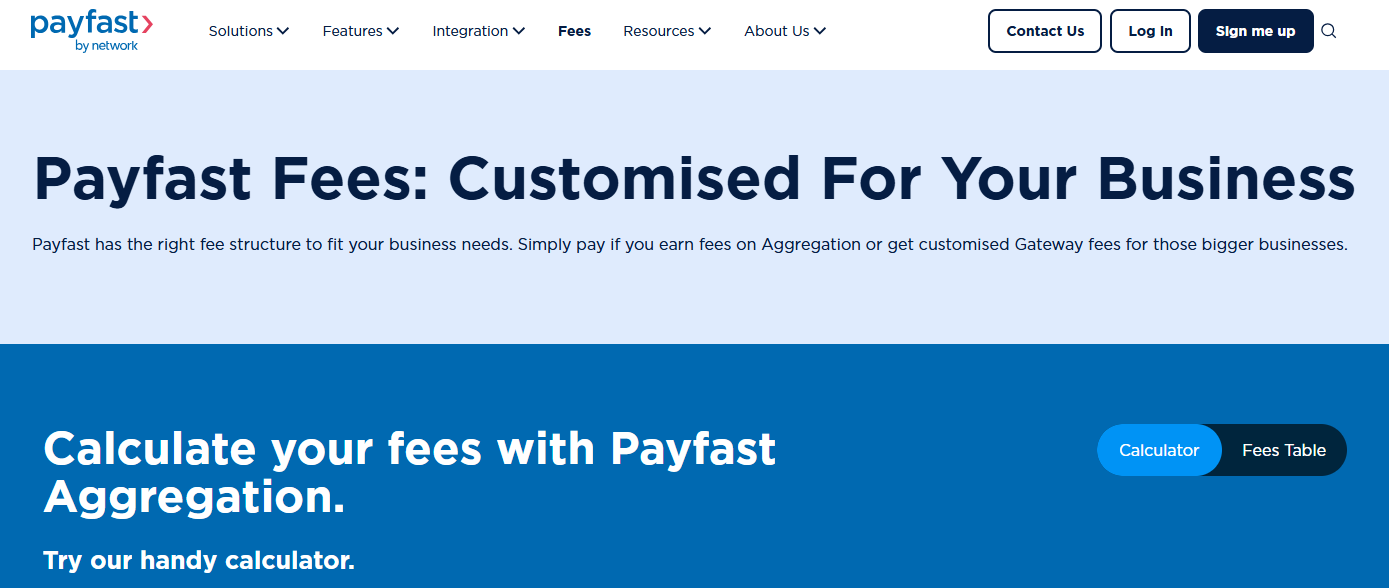
- PayFast charges per successful transaction on the Aggregation solution.
- There are no setup fees or monthly fees on PayFast Aggregation.
- Card payments are listed at 3.2% plus R2.00 per transaction on PayFast’s published fee table.
- Instant EFT and Capitec Pay are listed at 2.0% with a minimum R2.00 transaction fee.
- Merchants should always check the latest PayFast pricing before publishing checkout terms or fee comparisons.
What are the main PayFast transaction fees?
PayFast’s published Aggregation fees include card payments at 3.2% plus R2.00, Instant EFT at 2.0% with a minimum R2.00 fee, Capitec Pay at 2.0% with a minimum R2.00 fee, and Google Pay at 3.2% plus R2.00. Fees are usually charged only when a successful transaction is processed.
Does PayFast charge setup or monthly fees?
PayFast does not charge setup or monthly fees on its Aggregation solution. Merchants pay transaction fees when they receive successful payments. Larger businesses using the Gateway solution may receive customised pricing depending on their needs.
| Fee Type | PayFast Aggregation |
|---|---|
| Setup Fee | No setup fee |
| Monthly Fee | No monthly fee |
| Card Payments | 3.2% + R2.00 |
| Instant EFT | 2.0%, minimum R2.00 |
| Capitec Pay | 2.0%, minimum R2.00 |
| Google Pay | 3.2% + R2.00 |
PayFast Payment Methods
- PayFast supports many popular South African payment methods, helping merchants serve customers with different payment preferences.
- Customers can pay with cards, Instant EFT, Capitec Pay, QR payments, mobile wallets, store cards, and selected alternative payment methods.
- The availability of each payment method may depend on the merchant account setup, customer bank, and current PayFast product offering.
- Offering several payment methods can help reduce checkout friction and improve conversion rates for South African eCommerce stores.
Credit and Cheque Cards
- PayFast allows merchants to accept online card payments from customers using supported cards.
- Card payments are useful for eCommerce stores, digital products, service bookings, and once-off payments.
- 3D Secure helps add an extra authentication step for online card transactions.
Instant EFT
- Instant EFT allows customers to pay through a bank transfer that is verified quickly.
- This is popular in South Africa because many customers trust bank-based payment methods.
- It can be useful for shoppers who do not want to use cards online.
Capitec Pay
- Capitec Pay allows Capitec customers to make secure payments without entering full card details.
- This can help merchants reach a large South African customer base that uses Capitec.
- It can improve checkout convenience for mobile-first shoppers.
QR Code and Mobile Wallet Payments
- PayFast supports QR and app-based payment options through payment apps and banking apps.
- These options can be useful for mobile customers who prefer app-based checkout.
- Merchants should test the checkout experience across mobile devices before going live.
Which payment methods can I accept with PayFast?
PayFast supports a wide range of payment methods, including cards, Instant EFT, Capitec Pay, QR code payments, mobile wallets, store cards, subscriptions, and other localised payment options. The exact payment methods available may depend on the merchant setup.
Can PayFast accept international payments?
PayFast states that merchants can receive international payments made via Visa and Mastercard credit cards from customers outside South Africa. Merchants should confirm current rules, currency handling, fraud checks, and payout conditions before relying on international payments.
PayFast Integrations
- PayFast works with many popular website plugins, eCommerce platforms, shopping carts, and booking systems.
- Developers can use PayFast APIs and documentation to create custom payment flows.
- PayFast supports features such as hosted checkout, on-site payments, payment requests, subscription billing, and Pay Now buttons.
- Integration quality matters because poorly configured payment notifications can cause unpaid orders to be marked as paid.
WooCommerce Integration
- PayFast can be integrated with WooCommerce stores in South Africa.
- This is useful for WordPress-based online stores that want card, EFT, and local payment options.
- Merchants should keep the PayFast plugin, WordPress, WooCommerce, and security tools updated.
Shopify Integration
- PayFast can be used by eligible South African Shopify merchants depending on current integration availability.
- This can help online stores accept local payment methods from South African customers.
- Merchants should test checkout flow, order confirmation, refunds, and abandoned checkout handling.
Custom API Integration
- Businesses with custom websites can use PayFast developer tools and APIs.
- Custom integrations should be built by experienced developers who understand payment security and server-side verification.
- Payment notifications should be validated carefully before orders are fulfilled.
Pay Now Buttons and Payment Requests
- Pay Now buttons and payment links are useful for businesses without a full eCommerce store.
- They can be used for invoices, donations, bookings, deposits, and once-off payments.
- This makes PayFast useful for service businesses and small merchants that want a simple online payment option.
Is PayFast easy to add to a website?
Yes, PayFast is generally easy to add to many websites because it supports popular plugins, shopping carts, booking systems, APIs, and hosted payment options. Businesses using custom websites should use a developer to ensure payment notifications, order statuses, and security checks are correctly configured.
Does PayFast work with WooCommerce?
Yes, PayFast is commonly used with WooCommerce in South Africa. WooCommerce merchants should install the correct PayFast payment plugin, test the checkout process, and confirm that orders are only marked as paid after PayFast confirms the payment.
PayFast Deposits and Payouts
- PayFast collects customer payments on behalf of merchants and pays funds out to the merchant’s linked South African bank account.
- To receive payouts, merchants must complete account verification and provide valid banking information.
- Payout timing can depend on verification status, payment method, risk checks, bank processing, public holidays, and PayFast’s payout rules.
- Merchants should test payouts with small transactions before relying on PayFast for high-volume cash flow.
How do PayFast payouts work?
PayFast processes customer payments and pays merchant funds into the linked South African bank account once the required conditions are met. Merchants need to complete verification and ensure that their bank details are correct before expecting smooth payouts.
Can PayFast payouts be delayed?
Yes, PayFast payouts can be delayed if the merchant account is not fully verified, banking details are incorrect, suspicious activity is detected, a transaction is under review, or there are bank processing delays. Businesses should monitor their PayFast dashboard and resolve verification requests quickly.
| Payout Factor | What Merchants Should Check |
|---|---|
| Account Verification | Make sure identity, business, and banking documents are approved |
| Bank Account | Use a valid South African bank account linked to the merchant profile |
| Fraud Reviews | Suspicious payments may be reviewed before funds are released |
| Payment Method | Some payment methods may have different processing conditions |
| Public Holidays | Banking days can affect payout timing |
PayFast vs Peach Payments – A Comparison
| Feature | PayFast | Peach Payments |
|---|---|---|
| Best For | Small to medium South African businesses wanting simple payment setup | Growing businesses needing advanced payment orchestration and broader enterprise tools |
| Setup | Simple Aggregation option with no setup or monthly fee | May suit businesses needing more customised payment infrastructure |
| Payment Methods | Cards, Instant EFT, Capitec Pay, QR payments, mobile wallets, store cards, subscriptions | Cards, bank payments, wallets, and multiple local and regional payment methods depending on setup |
| Integrations | Plugins, API, shopping carts, Pay Now buttons, payment requests | Plugins, APIs, checkout tools, and advanced payment solutions |
| Fees | Published transaction fees on Aggregation | Pricing may depend on business needs and payment setup |
| Best Use Case | Fast local checkout setup for South African SMEs | More advanced payment requirements and scaling businesses |
Research
- PayFast is one of South Africa’s most recognised online payment gateways for businesses that want to accept secure digital payments.
- The platform is especially relevant for local eCommerce because it supports payment methods South African customers already know, such as cards, Instant EFT, Capitec Pay, and QR payments.
- PayFast’s Aggregation model makes it easier for small businesses to start accepting online payments without a separate merchant bank account.
- Businesses with higher volumes or complex payment requirements should compare PayFast Gateway, Peach Payments, Paystack, Ozow, PayGate, and Yoco before choosing a provider.
- For conversion, the most important factors are payment method choice, checkout speed, trust, mobile usability, fraud handling, payout timing, and clear refund policies.
🏆10 Best Forex Brokers in South Africa
| Rank | Broker | Broker Review | Regulators | Minimum Deposit | Visit Broker |
|---|---|---|---|---|---|
| 🥇 | | Read Review | ASIC, FSA, CBI, BVI, FSCA, FRSA, CySEC, ISA, JFSA | $100 | Visit Now |
| 🥈 | | Read Review | FSCA, FCA, DFSA, FSA, CMA | $0 | Visit Now |
| 🥉 | | Read Review | CySEC, IFSC, DFSA, FCA | $5 | Visit Now |
| 4 | | Read Review | ASIC, CySEC, FSA, SCB | $0 | Visit Now |
| 5 | | Read Review | BVI FSC | $0 | Visit Now |
| 6 | | Read Review | FSA, FSC, FSCA, ASIC, CMA | $20 | Visit Now |
| 7 | | Read Review | Exness is a globally regulated broker, holding multiple licenses from respected financial regulators around the world. | $10 | Visit Now |
| 8 | | Read Review | ASIC, CySEC, FSCA, FSA, FSC, CMA | $100 | Visit Now |
| 9 | | Read Review | FSC | $10 | Visit Now |
| 10 | | Read Review | FSA, CySEC, FSCA, FSC | $10 | Visit Now |
PayFast Awards
- PayFast has become one of South Africa’s most recognised online payment gateway brands.
- Its popularity comes from local payment method support, ease of setup, business-friendly onboarding, and strong eCommerce integrations.
- PayFast by Network is backed by Network International, a major digital commerce and payment solutions provider across the Middle East and Africa.
- Businesses should not choose PayFast based only on popularity; they should compare pricing, payout rules, integrations, payment methods, and support against their specific needs.
Conclusion
- In conclusion, PayFast is a strong payment gateway option for South African businesses that want to accept secure online payments.
- Its main strengths include no setup or monthly fees on Aggregation, multiple local payment methods, strong plugin support, PCI DSS Level 1 compliance, and beginner-friendly onboarding.
- PayFast is especially useful for small businesses, eCommerce stores, service providers, charities, and subscription-based websites.
- Businesses with high transaction volumes, complex checkout needs, or enterprise requirements should compare PayFast with Peach Payments, Paystack, Ozow, Yoco, and PayGate before deciding.
Disclaimer
- This PayFast review is for general informational purposes only and does not constitute financial, legal, tax, or business advice.
- Payment fees, product features, payout times, and supported payment methods can change, so merchants should verify all details directly with PayFast before signing up.
- Businesses should review PayFast’s terms, verification requirements, refund rules, chargeback policies, and data security responsibilities before accepting live payments.
- Merchants remain responsible for securing their own websites, plugins, customer data, admin accounts, and order fulfilment processes.
You might also like:
Frequently Asked Questions
What is PayFast?
PayFast is a South African online payment gateway that allows businesses to accept secure payments online. It supports payment methods such as cards, Instant EFT, Capitec Pay, QR payments, mobile wallets, store cards, payment requests, and subscriptions.
Is PayFast safe?
Yes, PayFast is generally considered safe for online payments. PayFast by Network states that it is PCI DSS Level 1 compliant and uses security features such as 3D Secure, fraud checks, secure servers, validation tools, and two-factor authentication.
Does PayFast charge monthly fees?
PayFast does not charge setup or monthly fees on its Aggregation solution. Merchants pay transaction fees when they receive successful payments. Gateway or enterprise pricing may differ depending on the business setup.
What payment methods does PayFast support?
PayFast supports several payment methods, including credit and cheque cards, Instant EFT, Capitec Pay, Google Pay, QR code payments, mobile wallets, store cards, subscriptions, and payment requests. Availability can depend on the merchant account and current PayFast offering.
Can I use PayFast without a website?
Yes, some businesses can use PayFast payment links, Pay Now buttons, or payment requests without running a full eCommerce website. This can work for service providers, invoice payments, donations, bookings, and once-off payments.
Do I need a South African bank account for PayFast?
PayFast states that merchants need a South African bank account for funds to be paid out. Businesses should make sure their banking details match their verified merchant profile to avoid payout delays.
Does PayFast work with WooCommerce?
Yes, PayFast is commonly used with WooCommerce in South Africa. Merchants should install the correct plugin, configure payment settings carefully, and test that orders are only marked as paid after payment confirmation.
Can PayFast accept international payments?
PayFast states that merchants can receive international payments made via Visa and Mastercard credit cards. Merchants should confirm current international payment rules, fraud checks, currency handling, and payout conditions before relying on cross-border sales.
How does PayFast compare with Ozow?
PayFast supports a broader range of payment methods, including cards, EFT, QR payments, and subscriptions. Ozow is more focused on bank-based payments such as instant EFT. The better option depends on whether your customers prefer cards, EFT, mobile wallets, or a mix of payment options.
Is PayFast good for small businesses?
Yes, PayFast can be a good option for small South African businesses because it is easy to set up, has no monthly fee on Aggregation, supports popular local payment methods, and works with many website platforms. High-volume businesses should compare transaction costs carefully.
You Might Also Like




Recommended brokers